
An estimate that's accurate in the office but unclear in the field causes rework, change orders, and crew confusion. Here's how to build templates that work for everyone.
The estimate says "12 cu yd decomposed granite, install per plan." The foreman shows up Monday and calls you because he's not sure if "per plan" means the sketch in the client email or the one you drew at the site visit. You spend 25 minutes on a call you shouldn't have needed to make. That's a template problem, not a crew problem. Your estimate was accurate enough to price the job but not clear enough to execute it.
The Two-Audience Problem
Every landscape estimate serves two audiences: the client who needs to approve it and the crew who needs to execute it. Most templates are built entirely for the client — clean pricing, professional format, minimal technical detail. That's appropriate for a proposal document. But when that same document is what the foreman takes to the job site, you have a scope gap.
Digital estimate templates in good software can bridge this. The client sees the proposal version: clean, line-itemed, with photos and total price. The foreman sees the job version: quantities, specifications, material brands, sequence of work, and installation notes. Same job, two different views from one estimate.
What Makes a Template Field-Usable
Five elements that separate a field-usable template from one that just looks good in the office:
- Specific material specs, not generic descriptions. "River rock, 2-4 inch, gray/tan, from ABC Supply" is field-usable. "Decorative stone" is not. The crew needs to know what to order and where to pick it up.
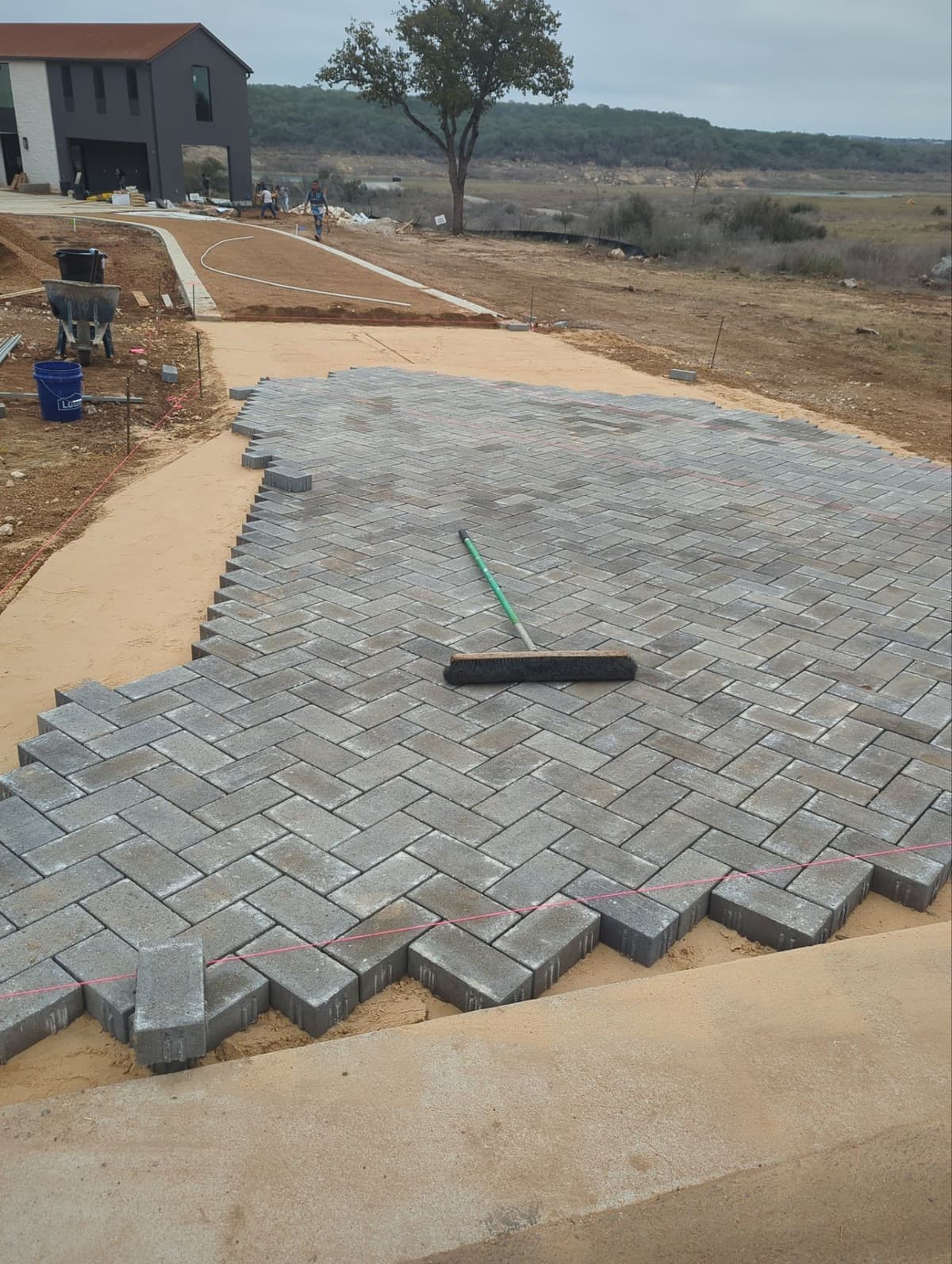
- Quantities in field units. Don't just list cost — list the quantity. "48 SF paver, Old Dominion Tan, 12x12 tumbled" tells the crew what to pull and lets them verify they're not short before starting installation.
- Sequence of work. For multi-phase jobs, the order matters. Excavation before base prep, base prep before pavers, pavers before edge restraint, edge restraint before sand polymeric. If your template doesn't show this, the foreman improvises — sometimes correctly, sometimes not.
- Site-specific notes attached. Photos from the site visit, measurements, and notes about access constraints should be attached to the job in the software, not in a separate text thread or email that gets lost.
- Clear scope boundaries. What's included and what's not included, in plain language. "Includes all excavation to 6 inches. Does not include removal of existing concrete slab." This prevents the most common scope creep conversations.
Building Templates That Reduce Phone Calls
Track the phone calls you get from the field for 30 days. Write down what each call was about. After a month, you'll see patterns: the same 5-6 questions coming up repeatedly. Those recurring questions are gaps in your templates.
Common gaps that generate field calls: who to contact at the property (in HOA or commercial work), where to stage materials, what to do if conditions differ from the site visit, how to handle existing irrigation lines encountered during excavation, and what counts as a change order vs. incidental scope.
"Every call from the field during a job costs 15-20 minutes minimum once you factor in context-switching. I added three standard notes to my paver patio template and went from 4 calls per job to 1. That's an hour saved per project."
Assembly Templates vs. Line-Item Templates
Line-item templates list each cost separately — labor at $X, material at $Y, equipment at $Z. Assembly templates bundle related costs into scope packages: "Paver patio base prep — includes excavation, compaction, 4-inch base material, labor" as a single unit priced per square foot.
For field execution, assembly templates are more useful. The foreman sees the scope bundle — what's included in "base prep" — rather than a cost spreadsheet. This also makes change orders cleaner: if the client adds 200 square feet to the patio, you add one line to the change order (base prep extension, 200 SF) rather than 6 separate cost lines.
Ledge uses assembly-based estimating by default. Each assembly includes the field notes, material specs, and scope description alongside the cost calculation. That means the estimate document and the job execution document are the same source of truth, not two separate files that drift apart.
When Templates Are Good Enough
Not every job needs maximum template detail. For short maintenance visits or jobs where you've done the same work at the same property 10 times, a simple scope summary is enough. Reserve the detailed template treatment for jobs over $5,000, first-time clients, and any work with complex sequencing or material coordination. That's where template quality directly affects execution quality.
Build Templates That Work Twice
Ledge's assembly-based estimates double as field execution guides. One document, two audiences, zero phone calls about what was supposed to happen.
Frequently Asked Questions
How detailed should a crew-facing job document be?
Detailed enough that a competent crew member who wasn't at the site visit could execute the job correctly. For most landscape install work, that means: quantities, material specs, scope boundaries, installation sequence, and contact information for questions. It doesn't need to be a 10-page spec sheet — it needs to answer the questions that would otherwise become phone calls.
Should the foreman see the price on the estimate?
That's a business decision. Many contractors share the total job value with their foreman so they understand the scope of the project. Others prefer to share the labor hours budget without the full price breakdown. Software that lets you show the job details without exposing client-facing pricing gives you control over what each role sees.
How do I keep templates current as my pricing changes?
Update your material price list centrally, and let the software recalculate assembly costs from that list. If your system is built correctly, updating the price of one material updates every template that uses it simultaneously. Schedule a quarterly price review — 30 minutes every 3 months keeps your estimates current without constant maintenance.
What's the right number of templates to maintain?
Cover your top 10-15 job types with templates and stop there. More templates means more maintenance and more chance of inconsistency. If a job type comes up less than 3-4 times per year, build it from scratch each time rather than maintaining a template that's rarely updated and potentially stale.
Edgar Galindo
Co-founder, Ledge
Edgar built Ledge while running a landscape construction company in Central Texas. He writes about estimating, job costing, and building a business that runs without you on every site.