
Win the Project
Proposals in minutes. Signed automatically.
Proposals in Ledge, landscape design-build software, render from your estimate with your logo, scope and totals, go out under your name, and get signed online. The deal closes the moment the client signs.
Talk to Edgar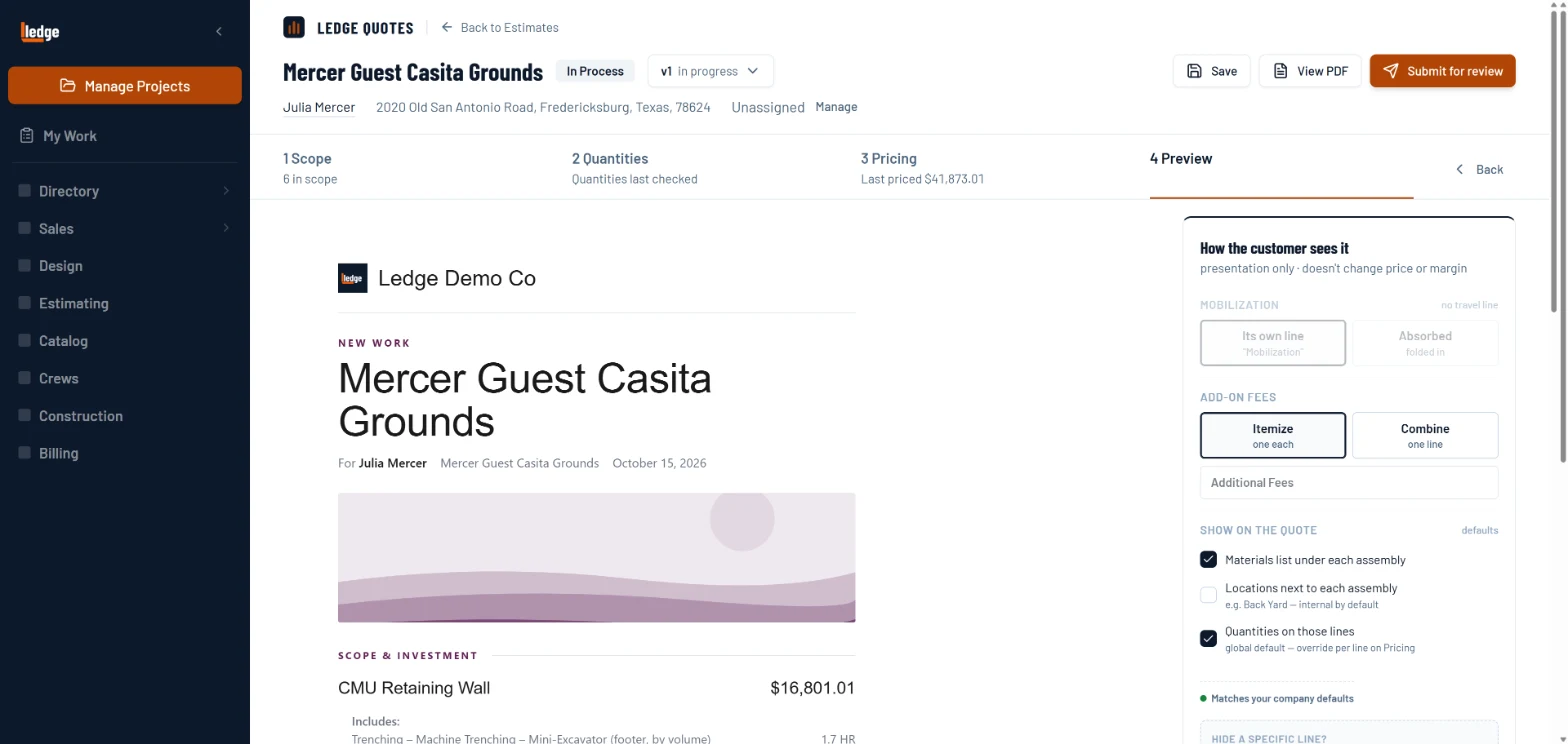
What it does
Estimate-to-proposal in one click
Company branding, scope overview, detailed pricing table, and totals generated automatically from your estimate. No reformatting, no copy-pasting.
Sent from you, signed online
The proposal goes out under your name. The client signs online; viewed, signed, and declined events are all tracked.
Auto-close on signature
When the client signs, Ledge fires Closed Won, creates the construction project, and queues the QuickBooks sync, automatically, in seconds.
How it works
Generate from the estimate
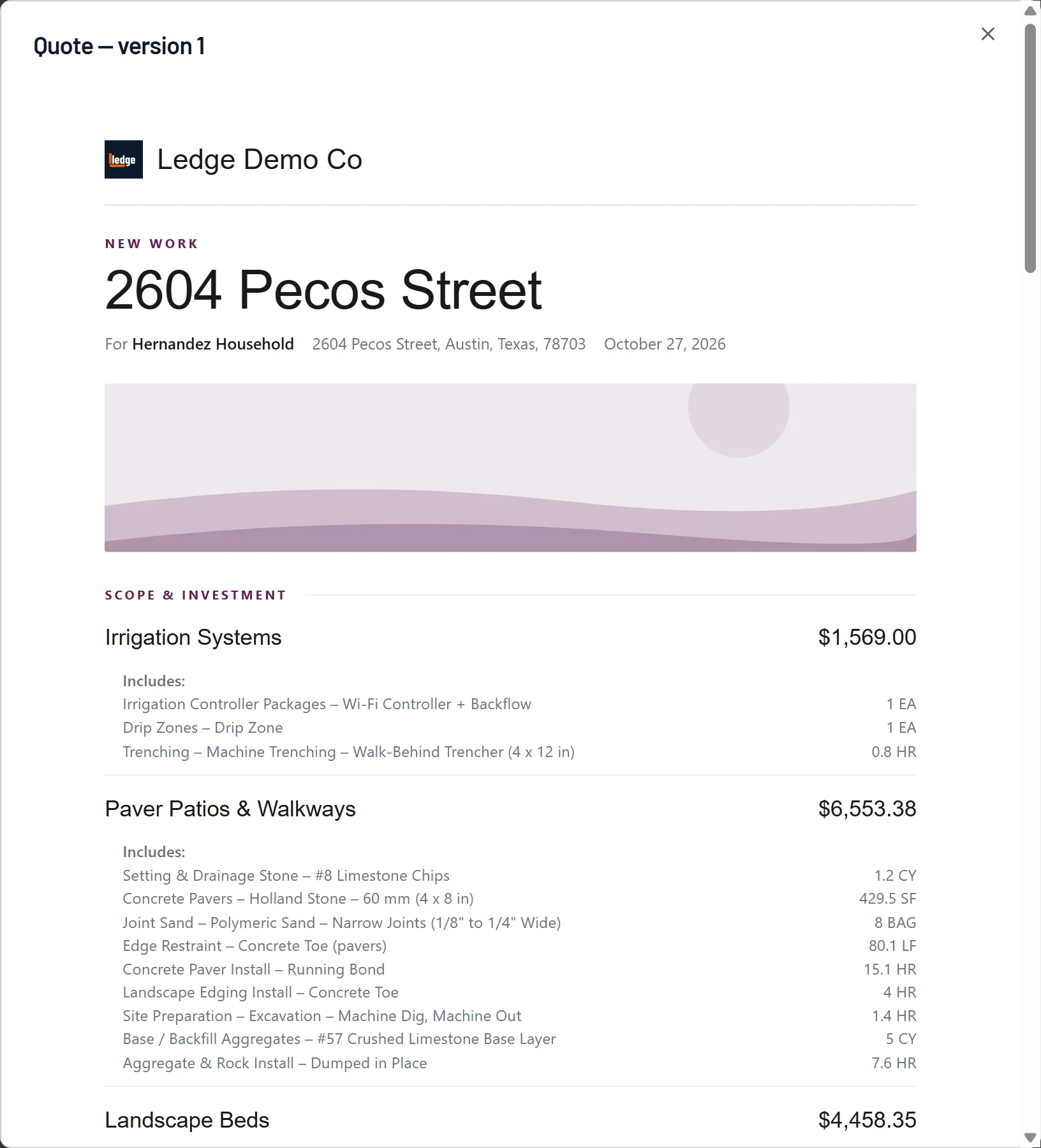
Finish the estimate and Ledge builds the quote, with your logo, each section of the scope with its price, and what it includes.
- 1Your logo and company on top.
- 2The job, the client and the date.
- 3Each section of the scope, with its price.
- 4What it includes, line by line.
Send it under your name
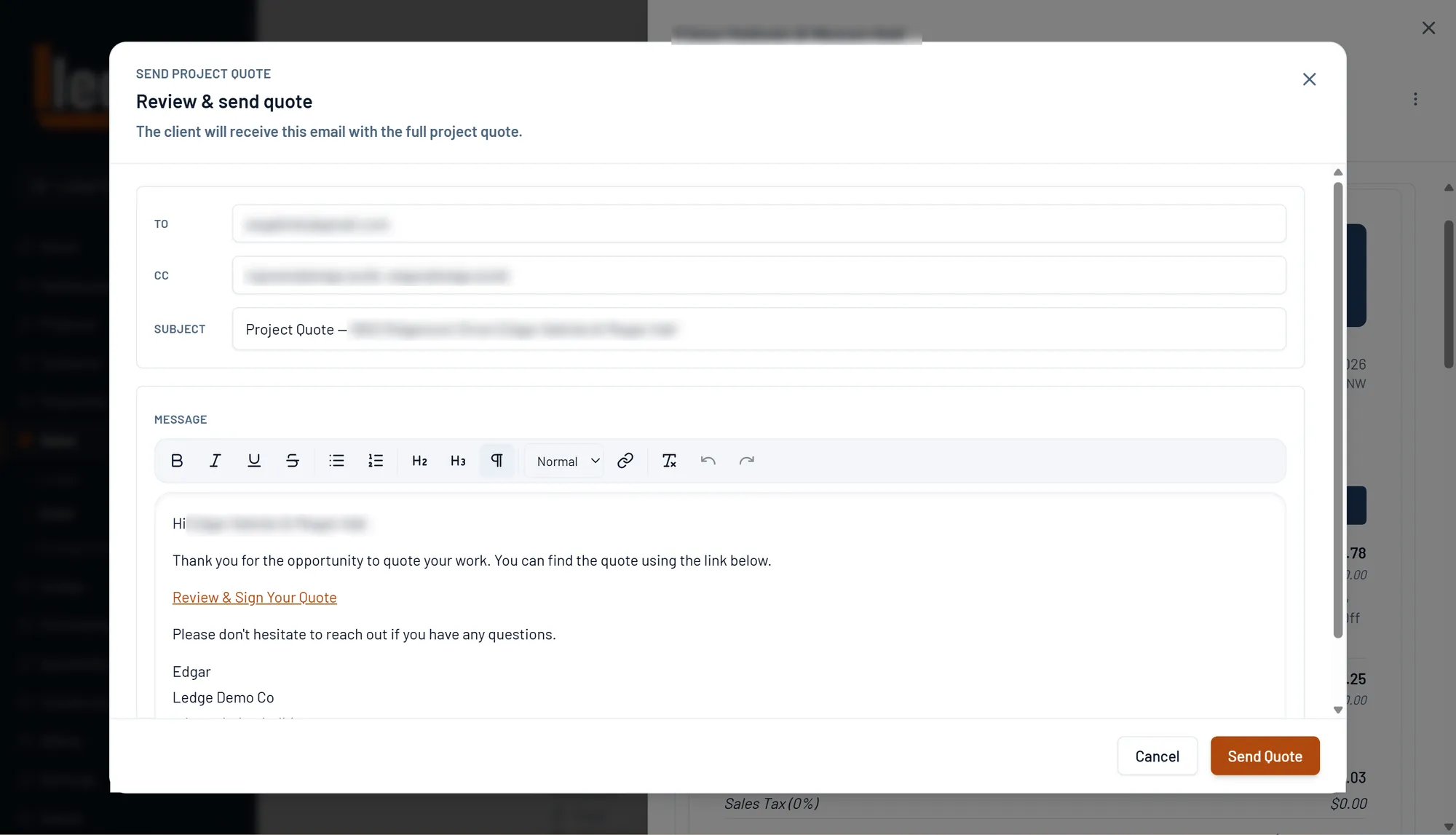
The proposal goes out from your connected email address, not a generic notification. It looks like you sent it.
- 1To, CC and subject, filled from the deal.
- 2The Review and Sign link is in the message.
- 3Signed with your name and company.
- 4Send it when it reads right.
Signature closes everything
The client signs online. Ledge fires Closed Won, creates the construction project, and queues QBO sync. No manual steps.
Pricing sheets
The math behind it.
EP 12 · Pricing sheetDon't Finance the JobSame $40,000 patio, same profit, same crew. One company never goes under. The other spends 10 weeks $28,000 under water on a job it's making money on.EP 13 · Pricing sheetMobilization and the MinimumThree guys, eight hours, 24 man-hours. About 14.7 of them are production. This is where the other 28% went.EP 10 · Pricing sheetMargin vs MarkupIf you mark your jobs up 40%, you are not making 40%. You're making 28.6%, and nobody tells you, because the invoice looks fine.Questions
Asked by owners.
Do clients sign the proposal online?
Yes. The proposal goes out under your name, the client signs on a phone or laptop, and Ledge logs viewed, signed and declined. Signing closes the deal and opens the project.
How is this different from a Jobber quote?
A Jobber quote is approved online in the client hub, which works for a one-visit job. A Ledge proposal is rendered from a multi-week estimate with scope, options and a payment schedule, and the signature starts the build.
The deal