
Win the Project
Cost up. Margin visible. No more guessing at markup.
Estimating in Ledge, landscape design-build software, keeps the quoted unit, each vendor price and the purchased unit on one line, and shows gross profit before you send a number.
Talk to Edgar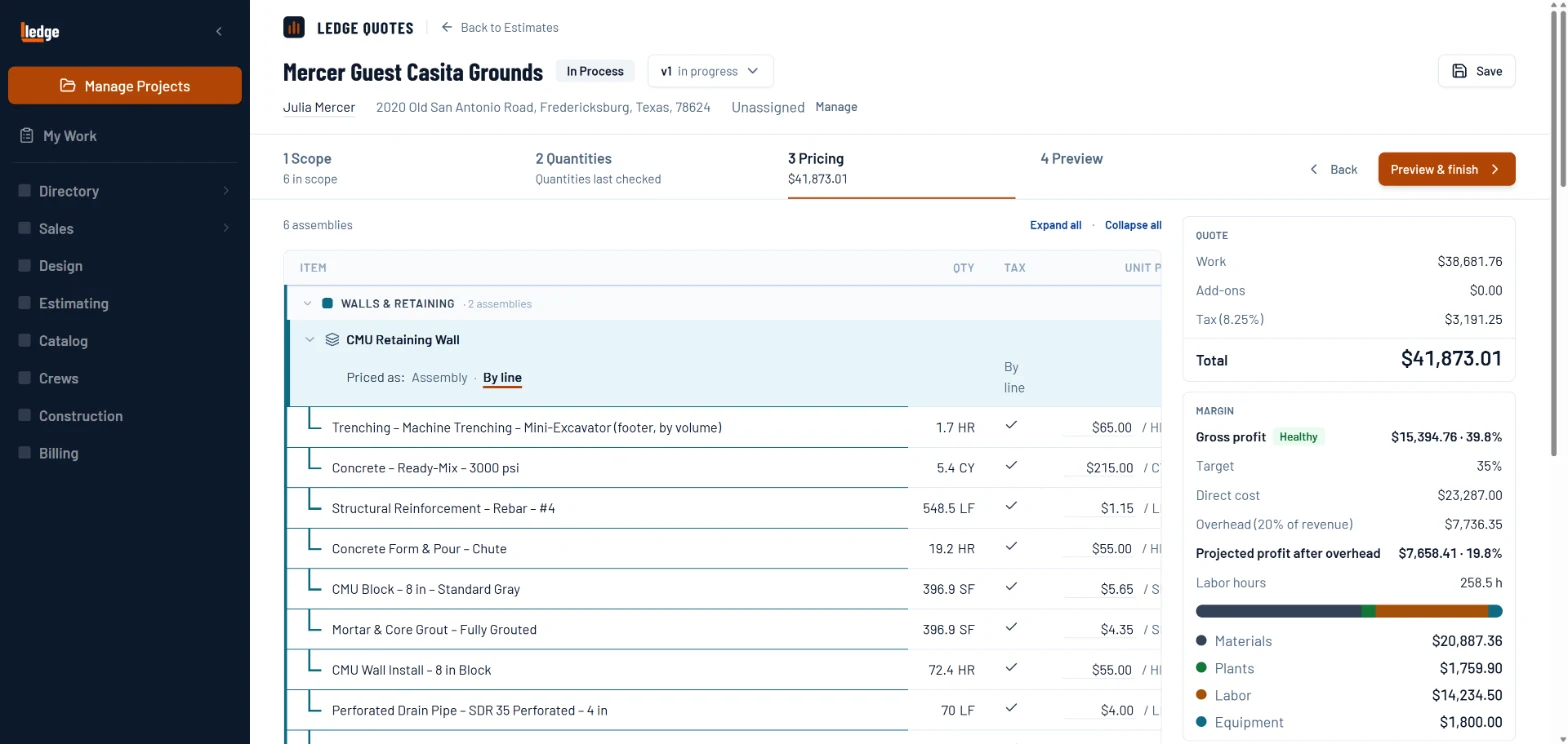
What it does
Three things your spreadsheet can’t do.
Pick the work, not the parts.
Choose Paver Patio, Retaining Wall or Irrigation Zone. Each one brings its child items with waste factors and quantity formulas already set.
Measure on the plan you already have.
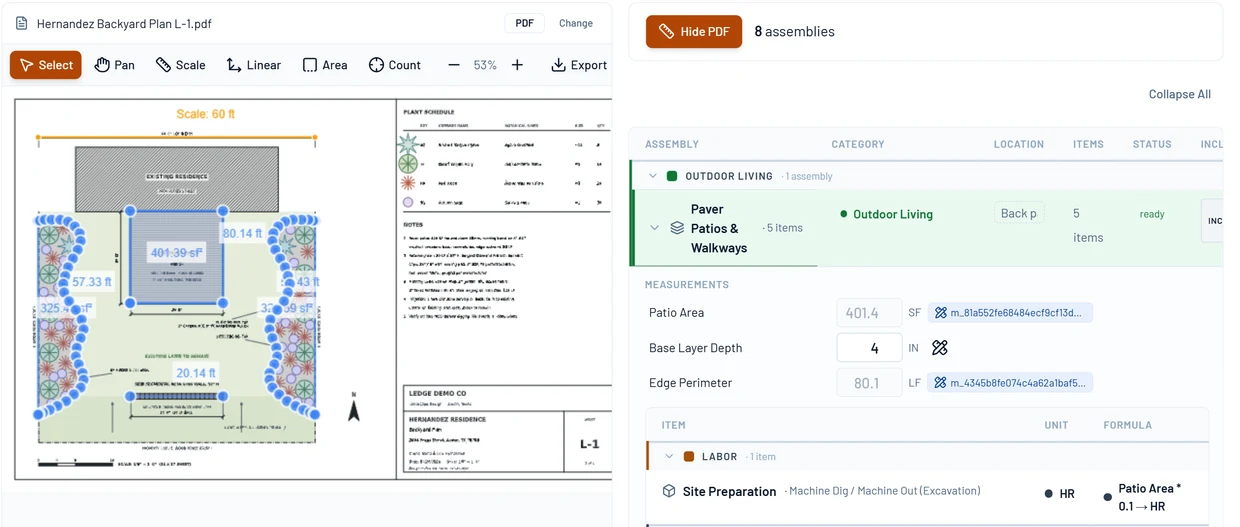
Draw area, length and count on the site plan, split screen with the estimate. The 401.4 square feet you draw is the 401.4 you price.
See the margin before you send.
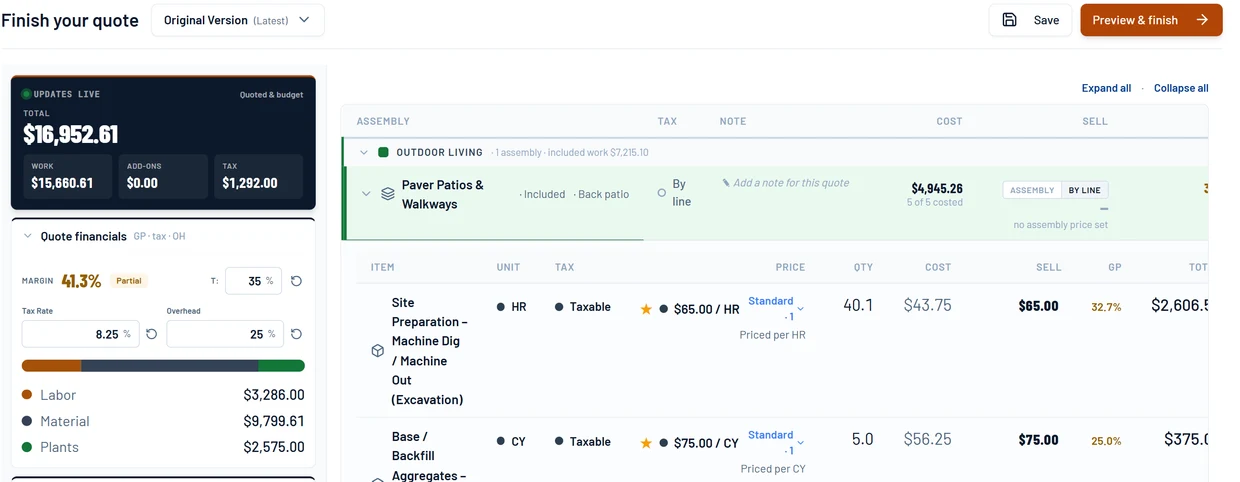
Set a gross profit target. Every line shows its own GP, so you know which one is pulling the job down before the client sees a number.
How it works
One estimate, start to send.
Pick your scopes
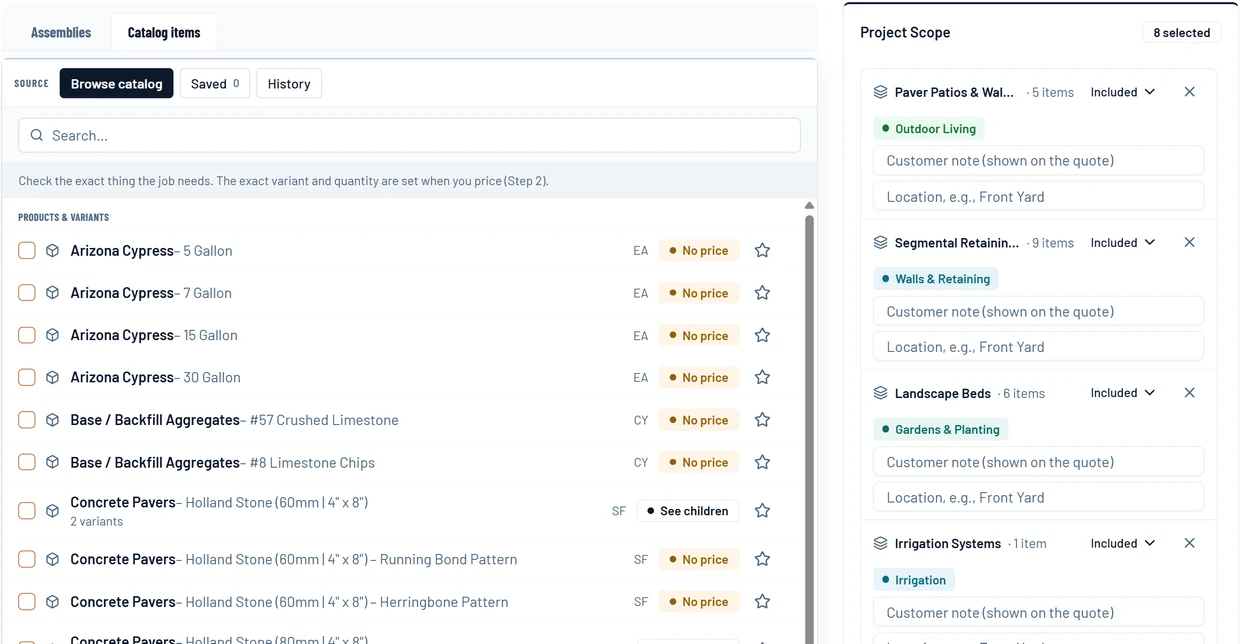
Open the catalog and check the work. Paver Patio, Retaining Wall, Irrigation Zone. Each scope brings its child items.
- 1Search the catalog.
- 2Check the exact item the job needs.
- 3It lands in the project scope with its children.
Pull measurements from the plan
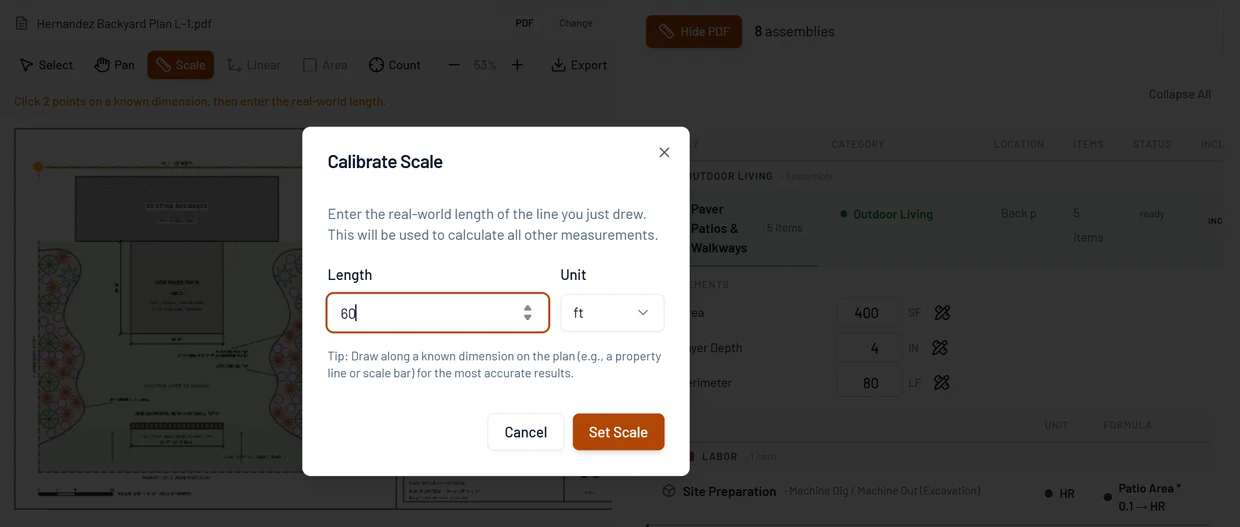
Open the takeoff beside the estimate, draw on the site plan, and the quantities flow into the assembly. No tab-switching.
- 1Mark a known line and type its length.
- 2Draw the patio on the plan.
- 3The square footage fills the estimate.
Set your GP target
Choose a target gross profit. The live gap tells you which lines to adjust before you commit to a price.
- 1Type your target.
- 2The margin moves as you price.
- 3Every line shows its own GP.
Lock and propose
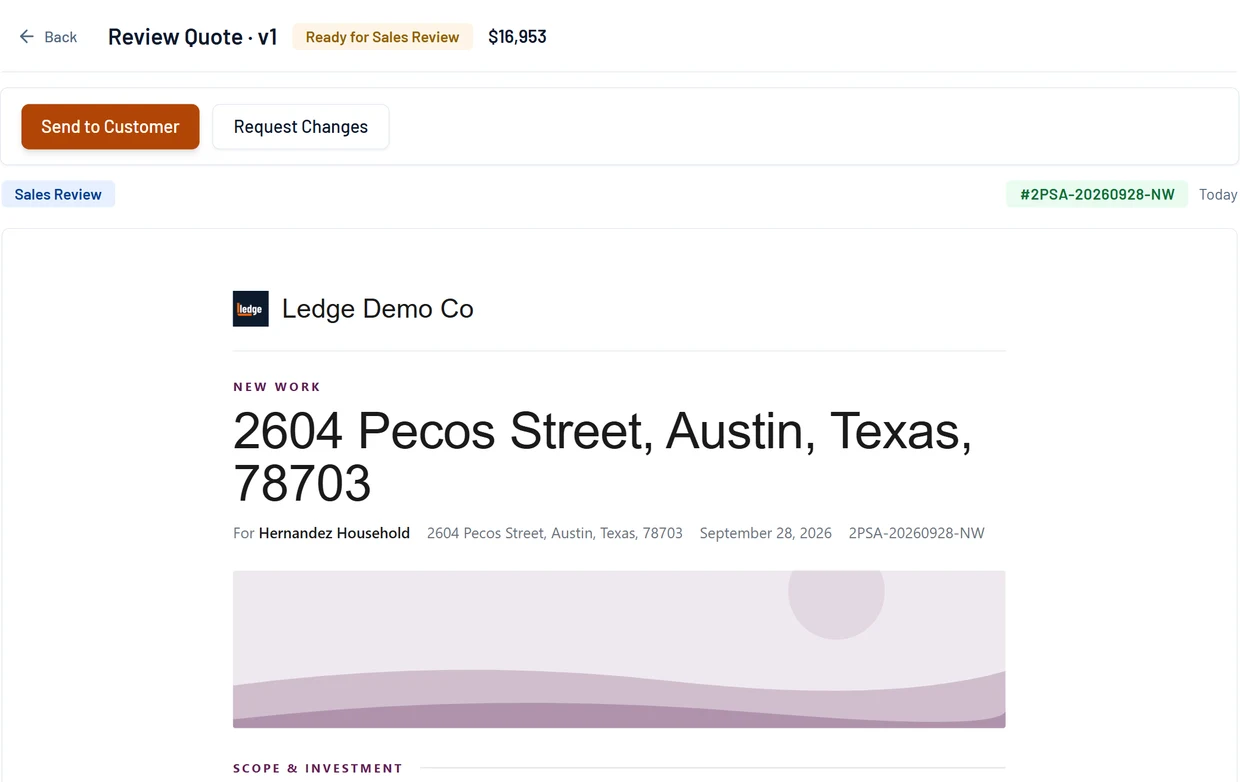
Finalize the estimate. It builds the project budget and turns into a branded quote in one step.
- 1It is marked ready for review.
- 2Check what Maria will see.
- 3Send it.
Pricing sheets
The math behind it.
EP 01 · Pricing sheetMulchYou charge $120 a yard and think you're making 35%. That 35% isn't a percentage. It's a stopwatch.EP 10 · Pricing sheetMargin vs MarkupIf you mark your jobs up 40%, you are not making 40%. You're making 28.6%, and nobody tells you, because the invoice looks fine.EP 09 · Pricing sheetPaver PatioThe pavers are 63% of your material and the fastest thing you'll do all week. The cheapest layer is the most expensive thing you do.Questions
Asked by owners.
Can one line be quoted by the yard, priced per vendor and bought by the bag?
Yes. One line holds the quoted unit, each vendor price and the purchased unit, and Ledge does the conversion. Every other tool we tried wanted that to be three lines.
How is this different from LMN estimating?
LMN derives prices from a company budget and teaches you the method; that is a real discipline. Ledge prices from the catalog and the plan, with materials, labor, equipment, overhead and profit on every line and the margin visible before you send.
The deal