

Build and Track
Three crews. Six jobs. One place.
Project management in Ledge, landscape design-build software, shows scope progress, crew hours and billing for every active job in one view.
Talk to Edgar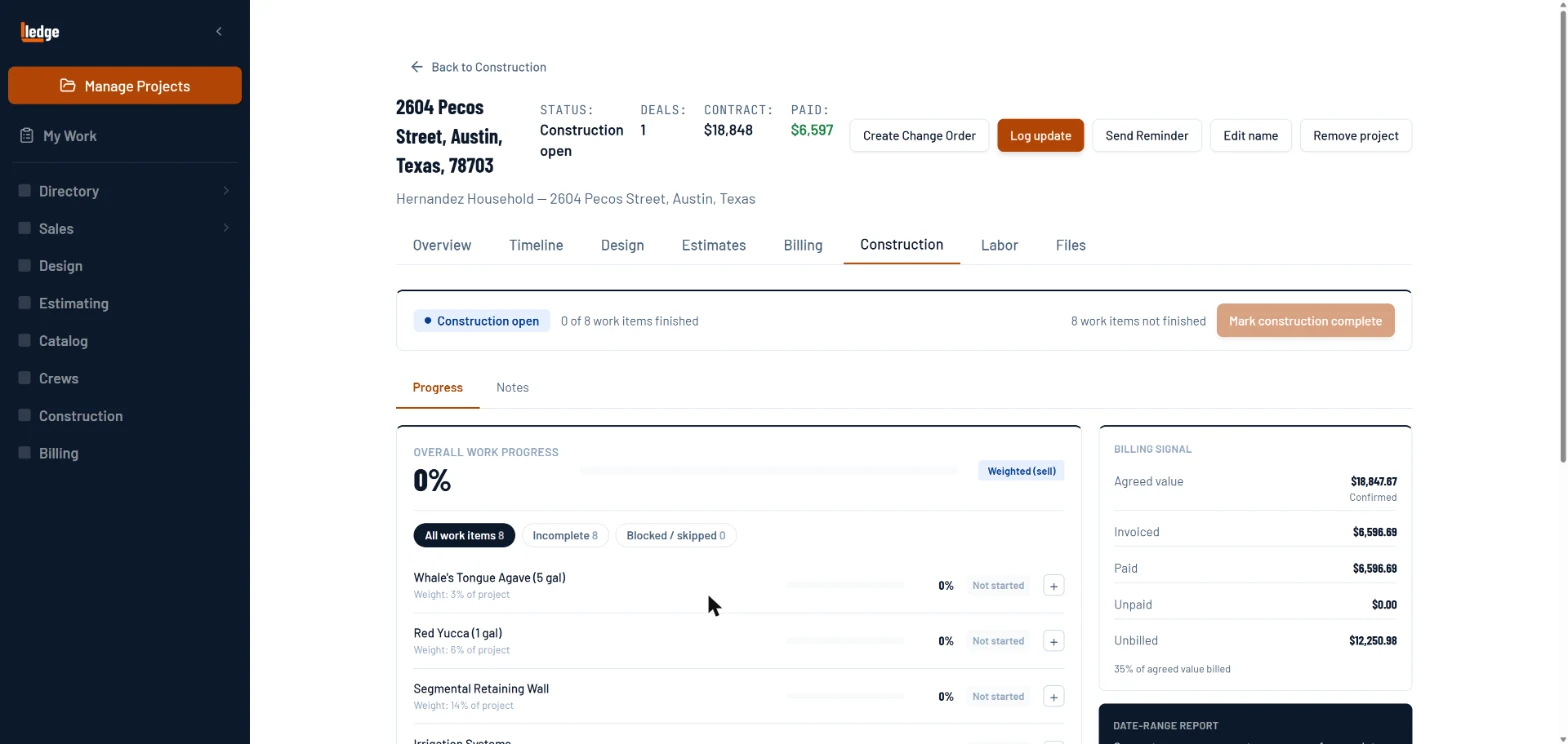
What it does
Scope progress line by line
Each scope item from the estimate has a completion percentage. Roll-up gives you overall project completion at a glance. No status calls.
Labor and billing per job
Each job shows crew hours booked, worked and confirmed, and what was agreed, billed and paid. No status calls, no spreadsheet.
Change orders and notes
Change orders branch off the base contract without touching the original scope. Punch list and warranty items go in the project notes, photos in the files.
How it works
Project created from Closed Won
The deal auto-creates a construction project. Contract value and scope carry forward from the estimate. No re-entry.
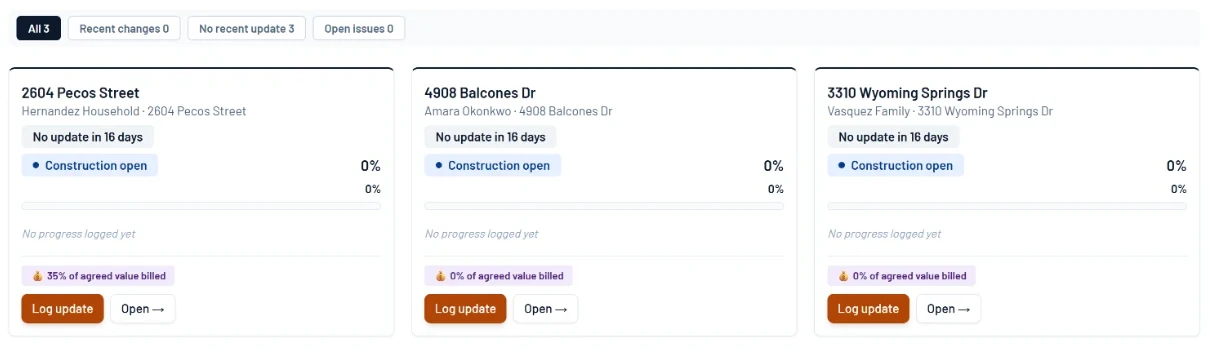
- 1Every open job on one board.
- 2Days since the last update, so quiet jobs stand out.
- 3How much of the agreed value is billed.
- 4Log the day’s progress from the card.
Track scope completion
Each line item from the estimate has a completion percentage that rolls up to an overall project figure. Visible to the back office in real time.
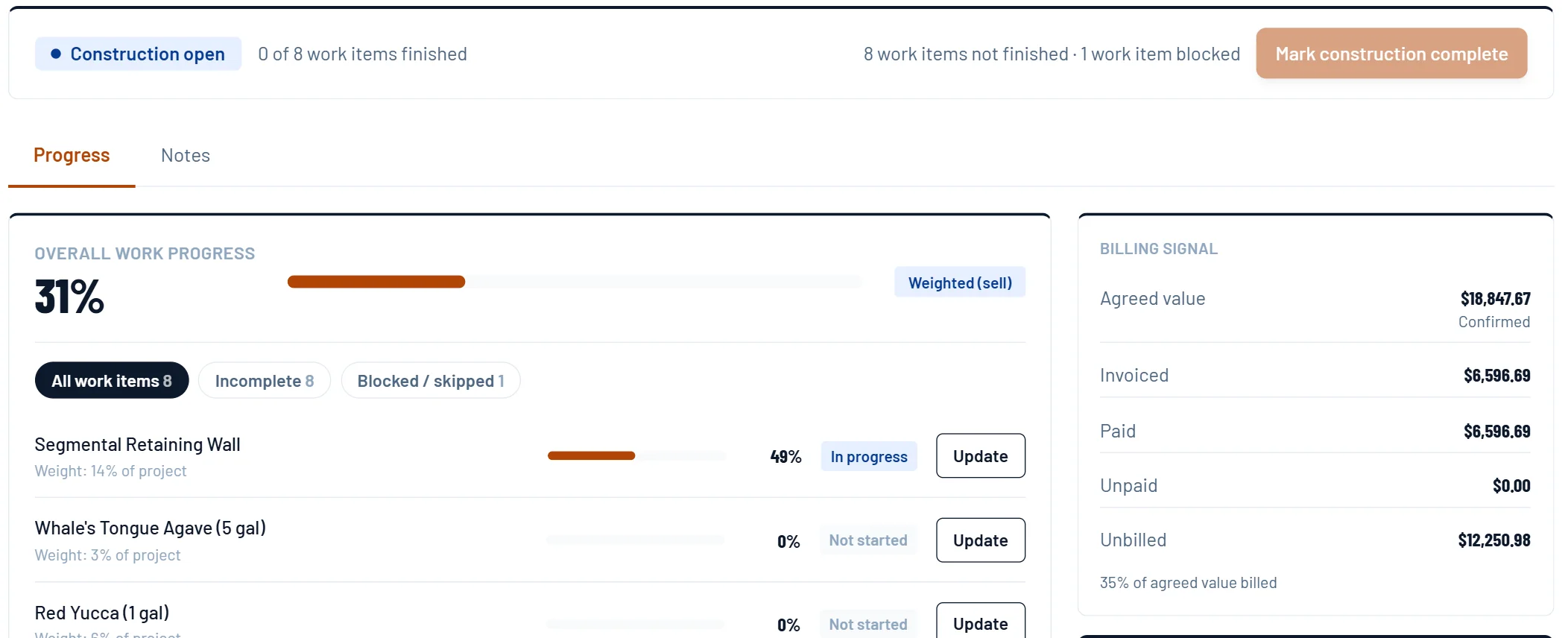
- 1Overall progress, weighted by sell price.
- 2Each line from the estimate, with its own percent.
- 3Update a line when the crew moves it.
- 4Billing against the work, side by side.
Track crew hours on the job
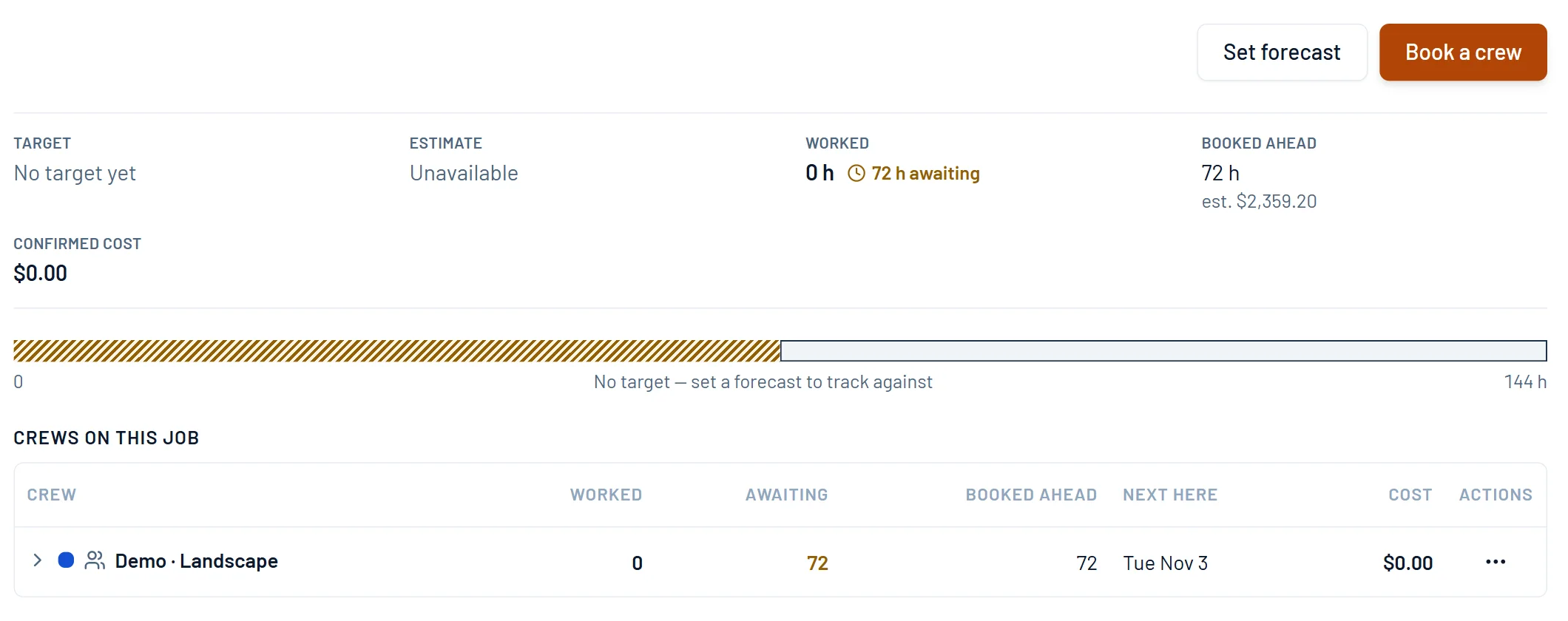
The Labor tab shows hours booked ahead with their estimated cost, hours awaiting confirmation, and the labor cost once the day is confirmed.
- 1Set a forecast in person-hours.
- 2Booked days carry an estimated cost.
- 3Worked hours wait until the day is confirmed.
- 4Confirmed hours become the job’s labor cost.
Handle change orders and punch lists
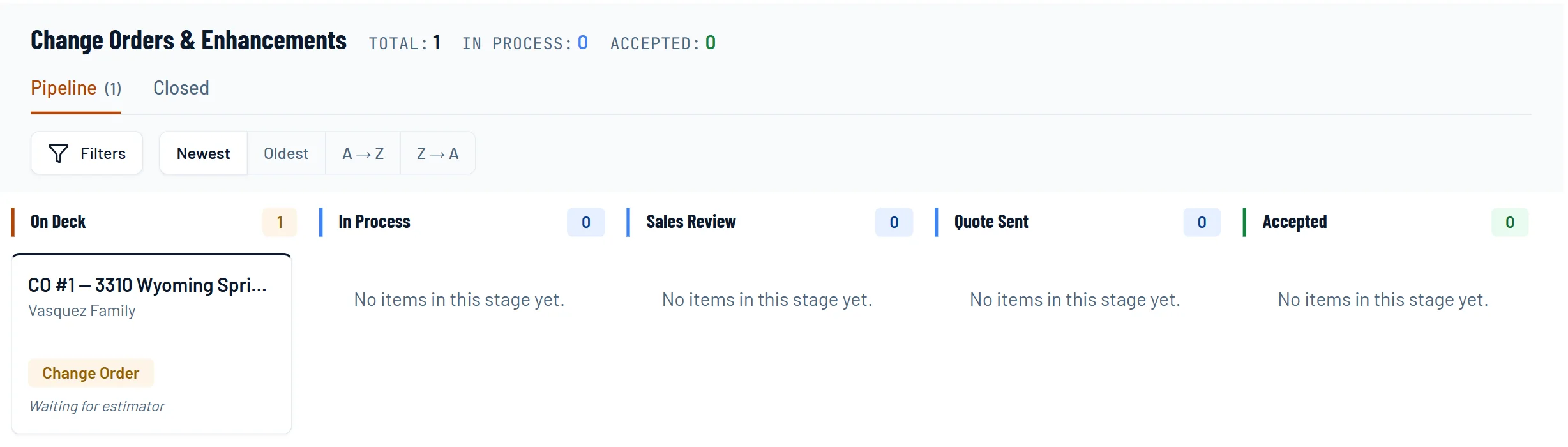
Change orders branch cleanly from the main contract without touching the original scope. Punch list and warranty items go in the project notes.
- 1Change orders run their own pipeline.
- 2Each one carries its project and client.
- 3The estimator prices it like any quote.
Pricing sheets
The math behind it.
EP 20 · Pricing sheetDid We Make What We SaidClose the loop on every job without a timesheet, an app, or asking a crew to write down what hour they spent on what.EP 15 · Pricing sheetHow Many GuysHow efficient is your fifth guy? Nobody knows. So we don't calculate that. We calculate what he has to beat, and that's one division.EP 17 · Pricing sheetFour Inch or SixSame trench, same crew, same day. One line is 4 inch, one is 6. One markup on both means two margins you never picked.Questions
Asked by owners.
Can I see where an active job stands without a spreadsheet?
Yes. Each project shows scope progress line by line, crew hours and confirmed labor cost, and what was agreed, billed and paid. The margin is set line by line on the estimate before you sign.
How is this different from Service Autopilot multi-day jobs?
Service Autopilot manages multi-day jobs inside a maintenance-first system. In Ledge the project is the spine of the product. Estimate, design, change orders, crews and billing all hang off it.
The deal