
Build and Track
Book the crew. Confirm the day. Know what it cost.
Scheduling in Ledge, landscape design-build software, books crews onto builds by the day and turns each confirmed day into labor cost on the job.
Talk to Edgar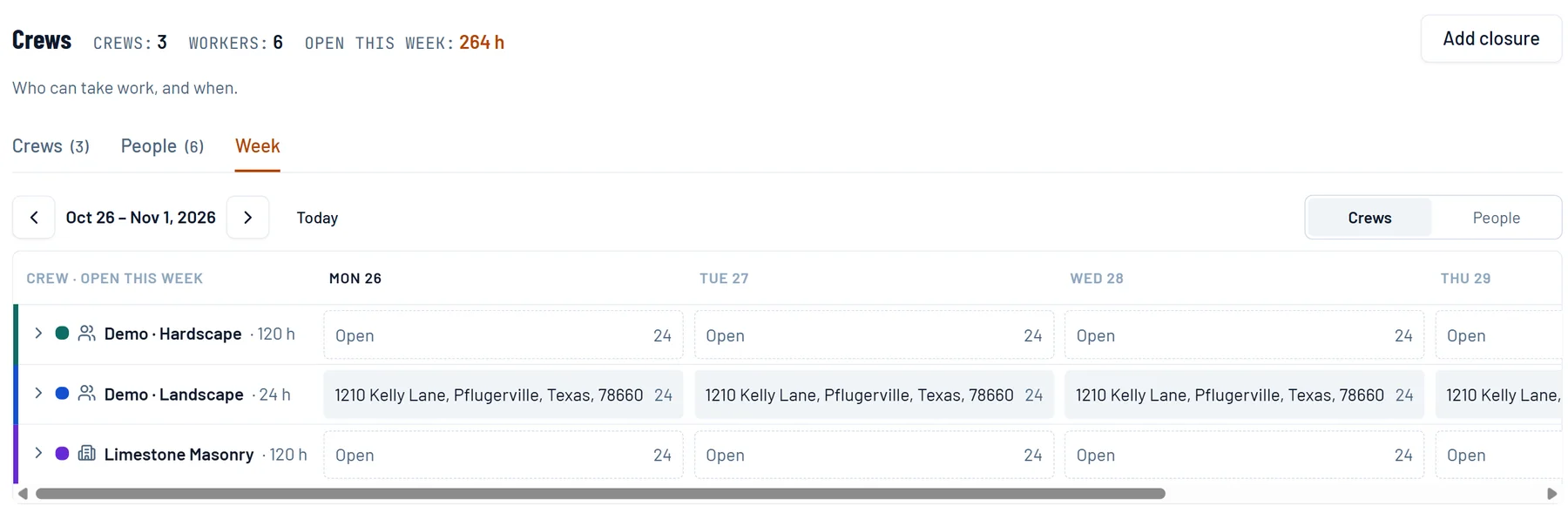
What it does
Built for the job that takes weeks, not the stop that takes an hour.
Every crew's week on one screen
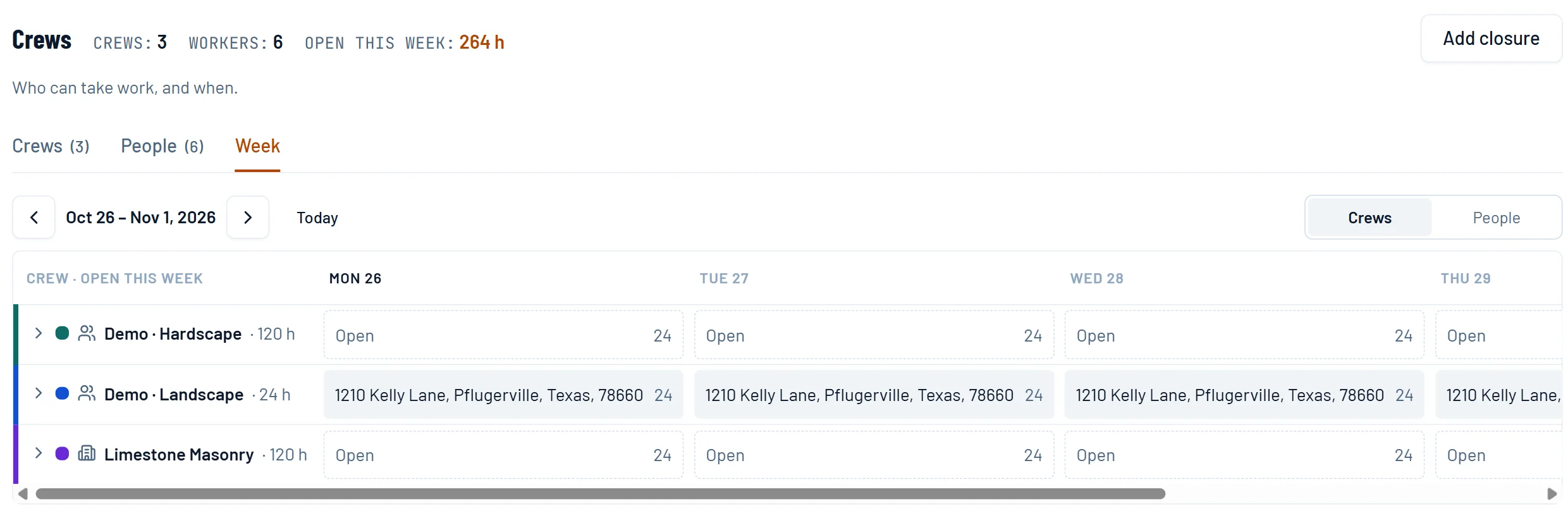
Day by day, the job each crew is on and the hours still open. A company closure shows the day as over capacity instead of quietly moving the work.
Book by the day, confirm by the day
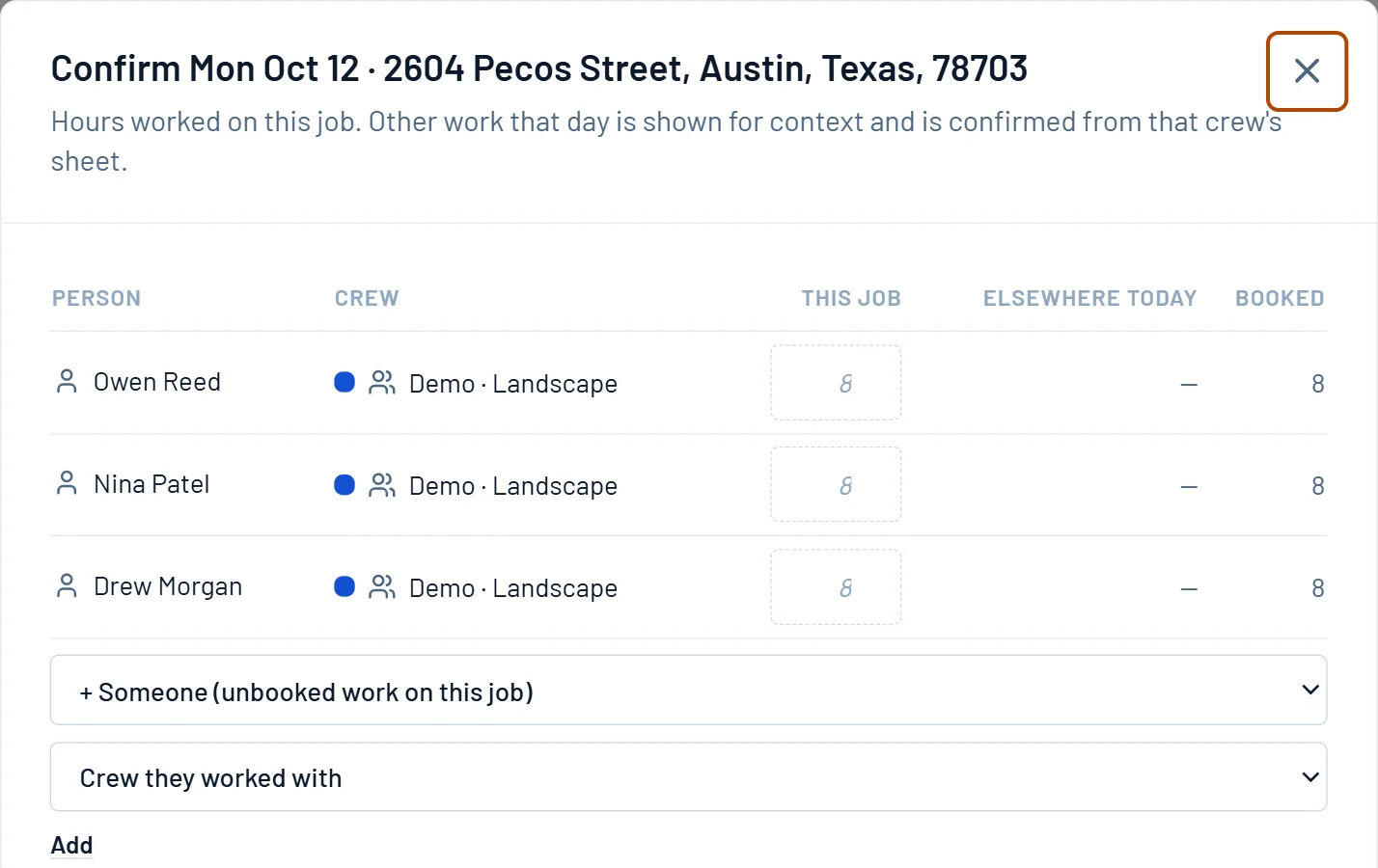
Booking picks the crew, then the days and who goes. Confirming records what each person actually worked, with travel, shop time and weather standby kept off the job.
Labor cost lands on the job
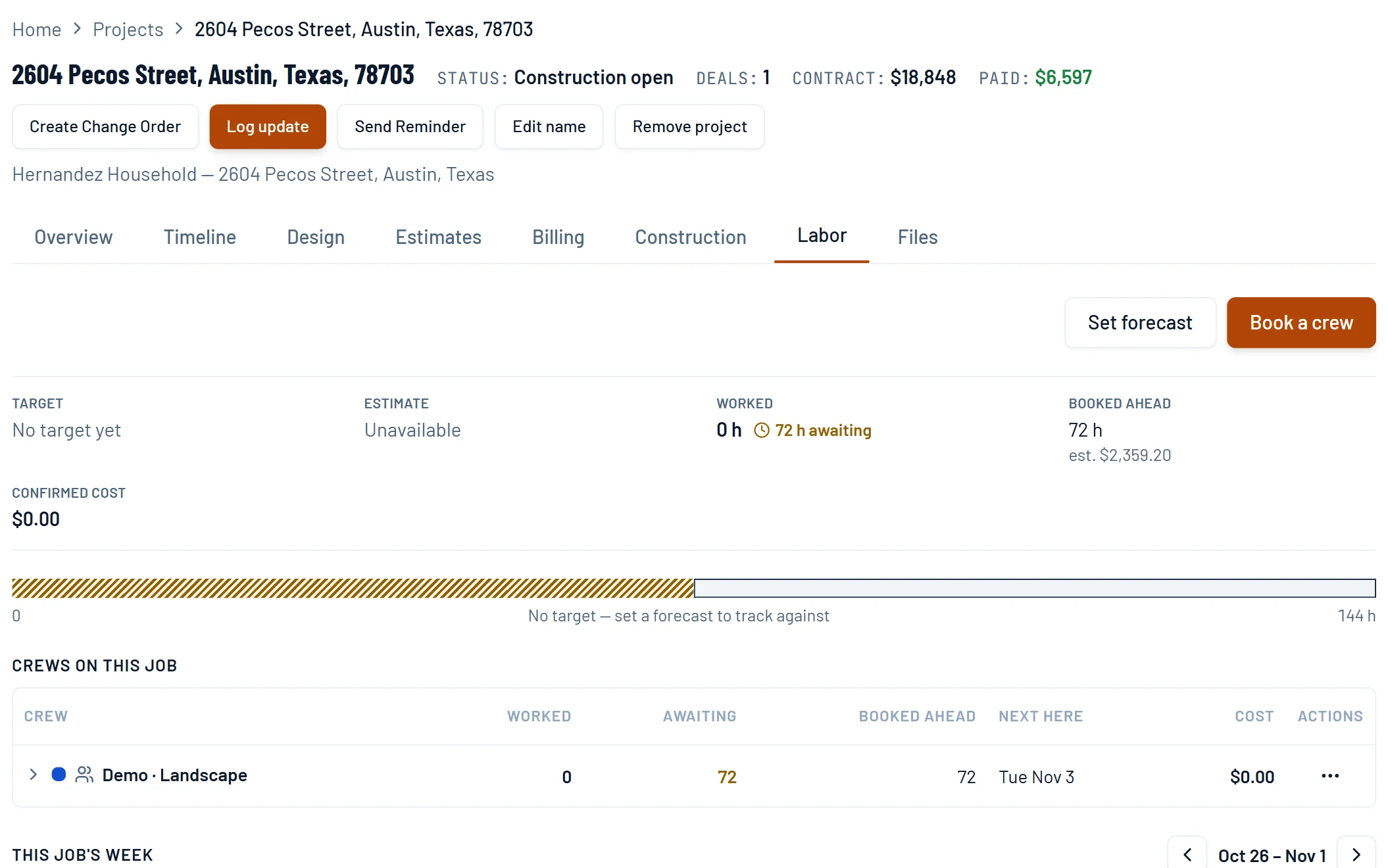
Each person's loaded cost turns confirmed hours into cost on the project. Set a forecast in person-hours and watch worked hours climb toward it.
How it works
One crew, one site, the whole week.
Book the crew
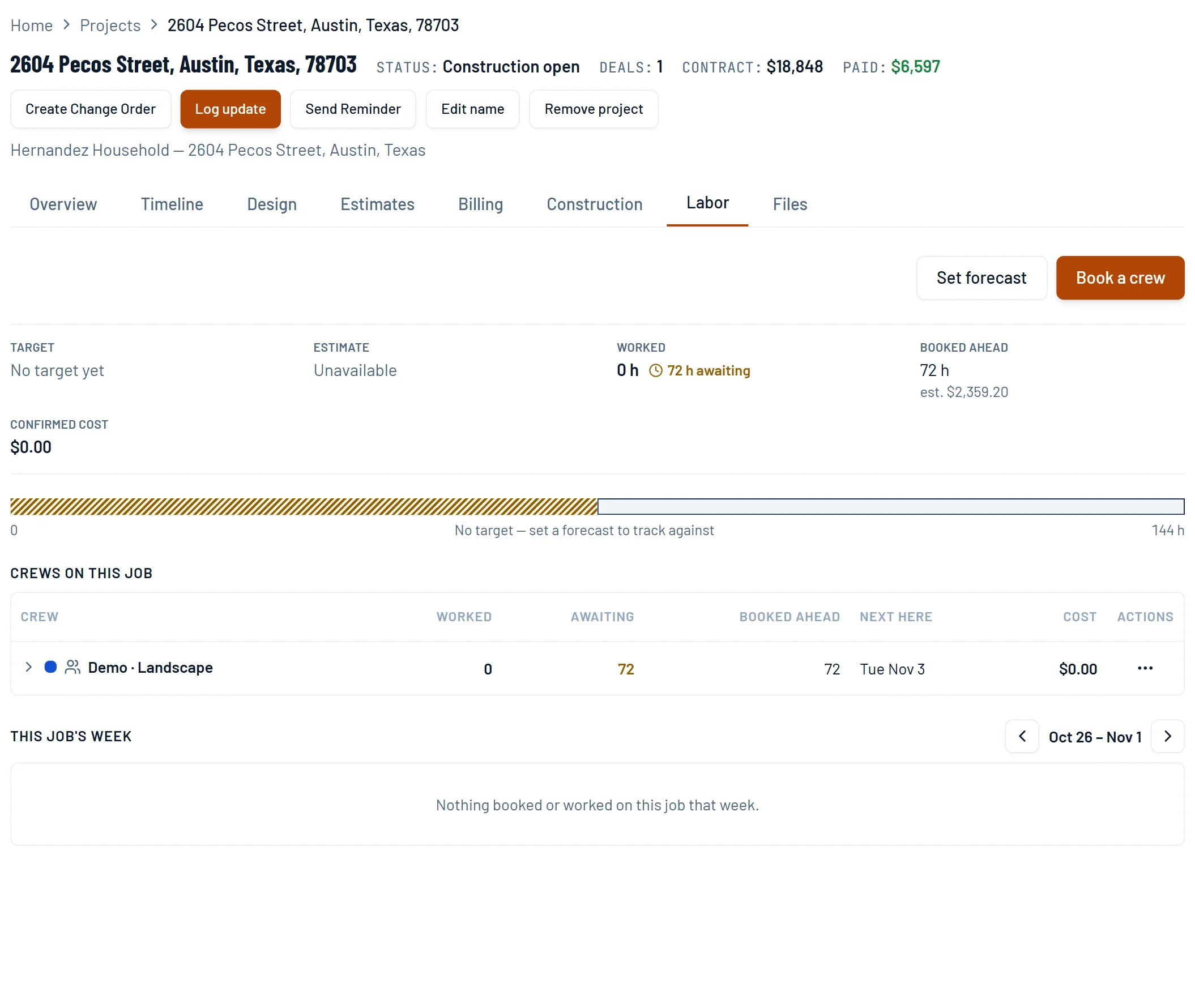
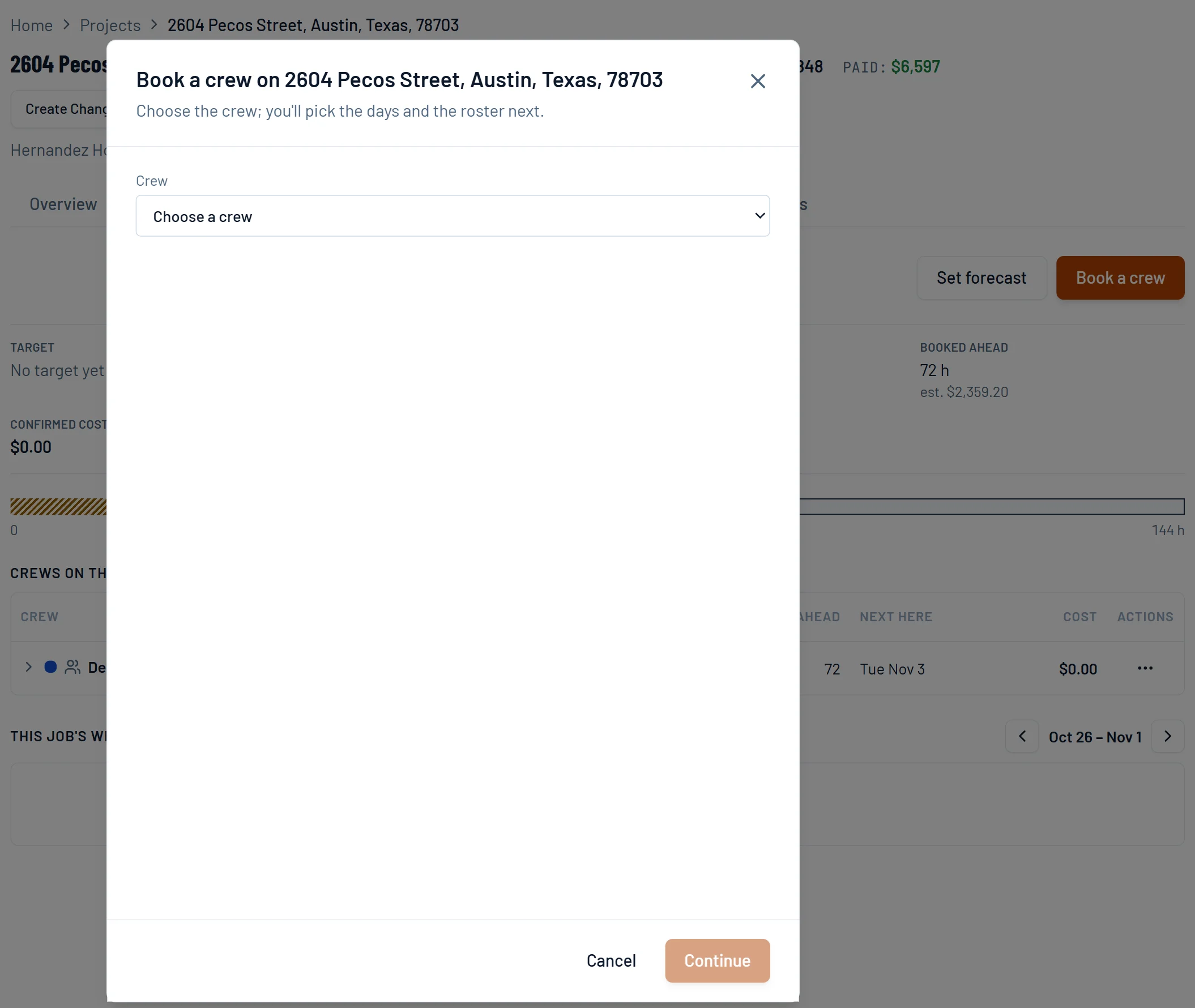
From the job's Labor tab, book a crew. Pick the crew, then the days and who goes. Subcontractor crews book the same way.
- 1Book a crew from the job.
- 2Choose the crew.
- 3Then pick the days and who goes.
See every crew's week
Day by day, which job each crew is on and how many hours are still open. The crew list adds the next open day and how many open days run after it.
- 1Pick the week.
- 2Each day shows the job, or the hours still open.
- 3A company closure blocks a day for every crew.
Confirm the day
The booking fills in the planned hours. Change what differs and confirm. Work elsewhere that day shows as context, not as cost on this job.
- 1The booked hours come in from the plan.
- 2Type what each person worked.
- 3Add anyone who was not on the booking.
Track labor against the forecast
Set a forecast in person-hours. Booked-ahead hours carry an estimated cost; confirmed hours become the real one.
- 1Set a forecast in person-hours.
- 2Booked ahead, with an estimated cost.
- 3Confirmed hours become the real cost.
Pricing sheets
The math behind it.
EP 15 · Pricing sheetHow Many GuysHow efficient is your fifth guy? Nobody knows. So we don't calculate that. We calculate what he has to beat, and that's one division.EP 19 · Pricing sheetCount the LegsSeven yards of loam. Delivered, or send the guys? Twenty years of feel, written down.EP 18 · Pricing sheetMoving DirtFour driveways, one estimate. 3.3 hours on one, 43.8 on another, and every number was wrong in the same direction, including the good ones.Questions
Asked by owners.
What happens when it rains?
Move the day. Open the booked day and move it to another date, or remove it to free the crew; the rest of the booking stays. If the crew showed up and waited it out, confirm those hours as weather standby, so they are recorded apart from the work on the job.
How is this different from Jobber or Service Autopilot scheduling?
Those schedule routes, many short visits optimized for drive time. Ledge schedules builds, one crew on one site for days, and puts what those days cost on the job. Ledge does not optimize routes.