Design and Plan
Measure on the plan. Pricing auto-fills.
Ledge's takeoff tool lives inside the estimating wizard — split-screen with your assembly parameters on the left and the site plan on the right. Measure once, quantities flow everywhere.
Book a DemoWhat it does
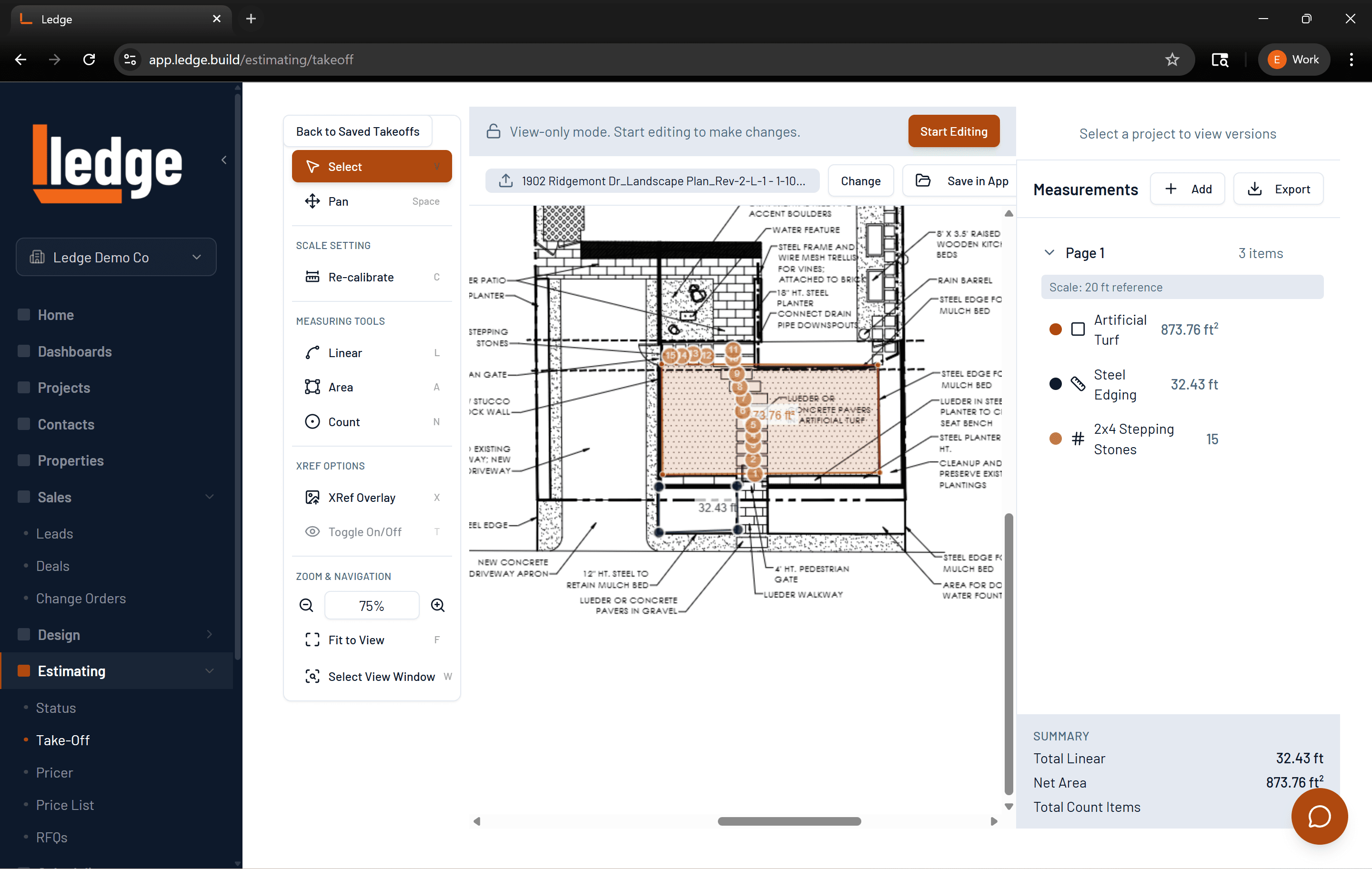
Three measurement modes
Linear, area (with polygon holes for cutouts like a fire pit in a patio), and count — each flowing directly into the matching assembly parameter.
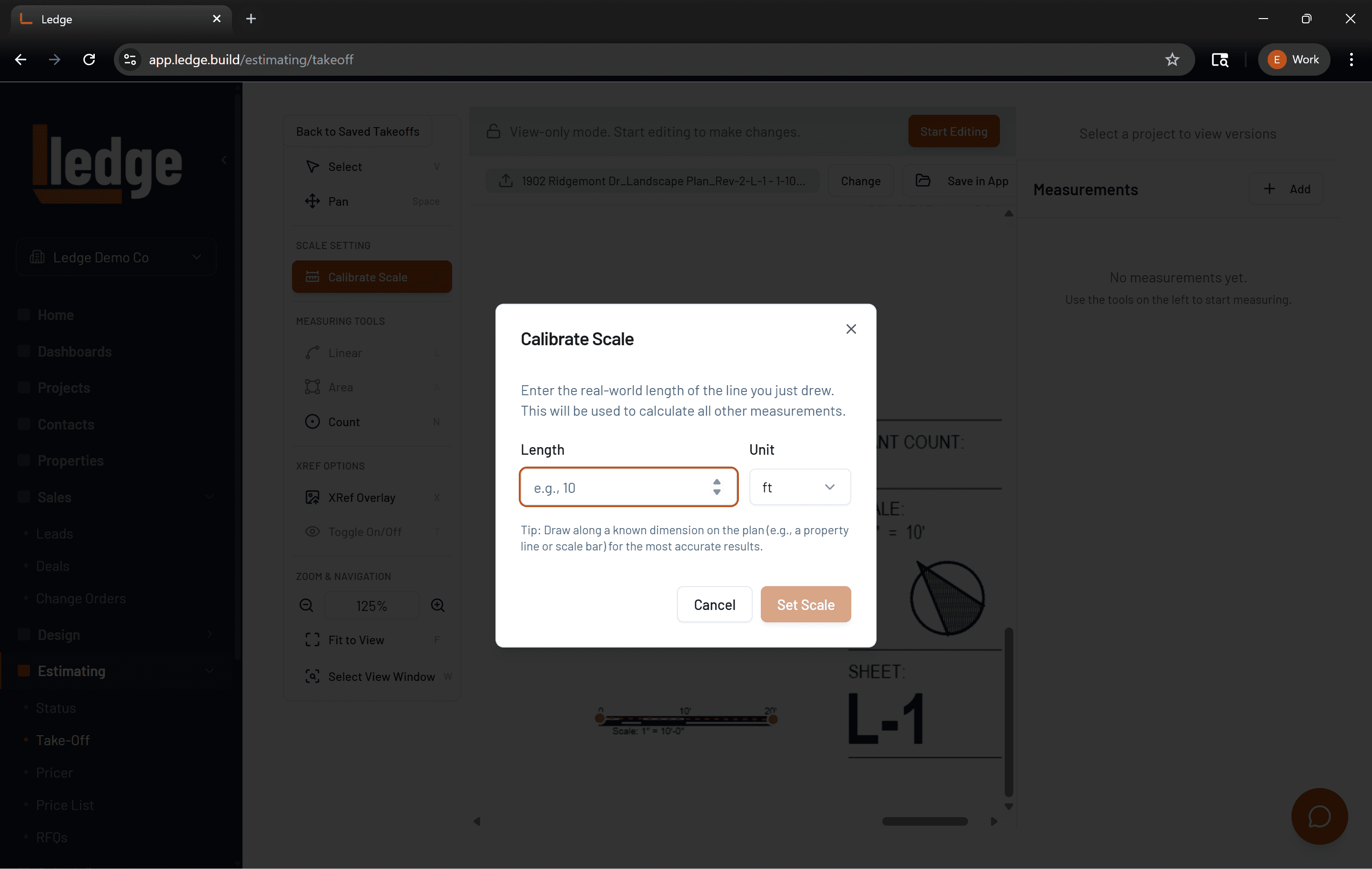
Per-page scale calibration
Multi-page PDFs each get independent scale calibration — two-point click, survives zoom and page navigation.
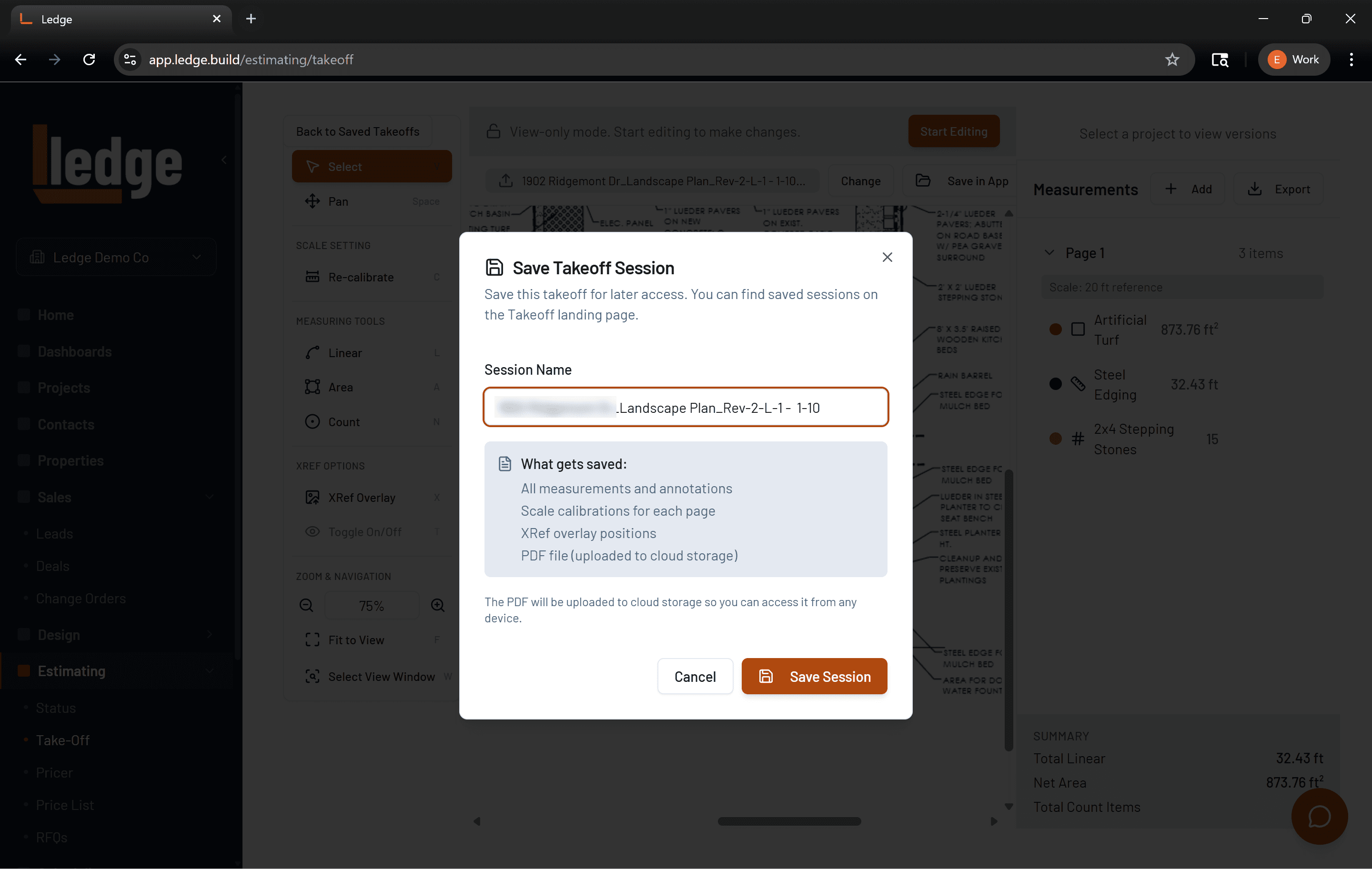
Persistent measurement audit trail
Every polygon is saved with the estimate. "Where did 450 SF come from?" always has a visual answer you can share with the client.
How it works
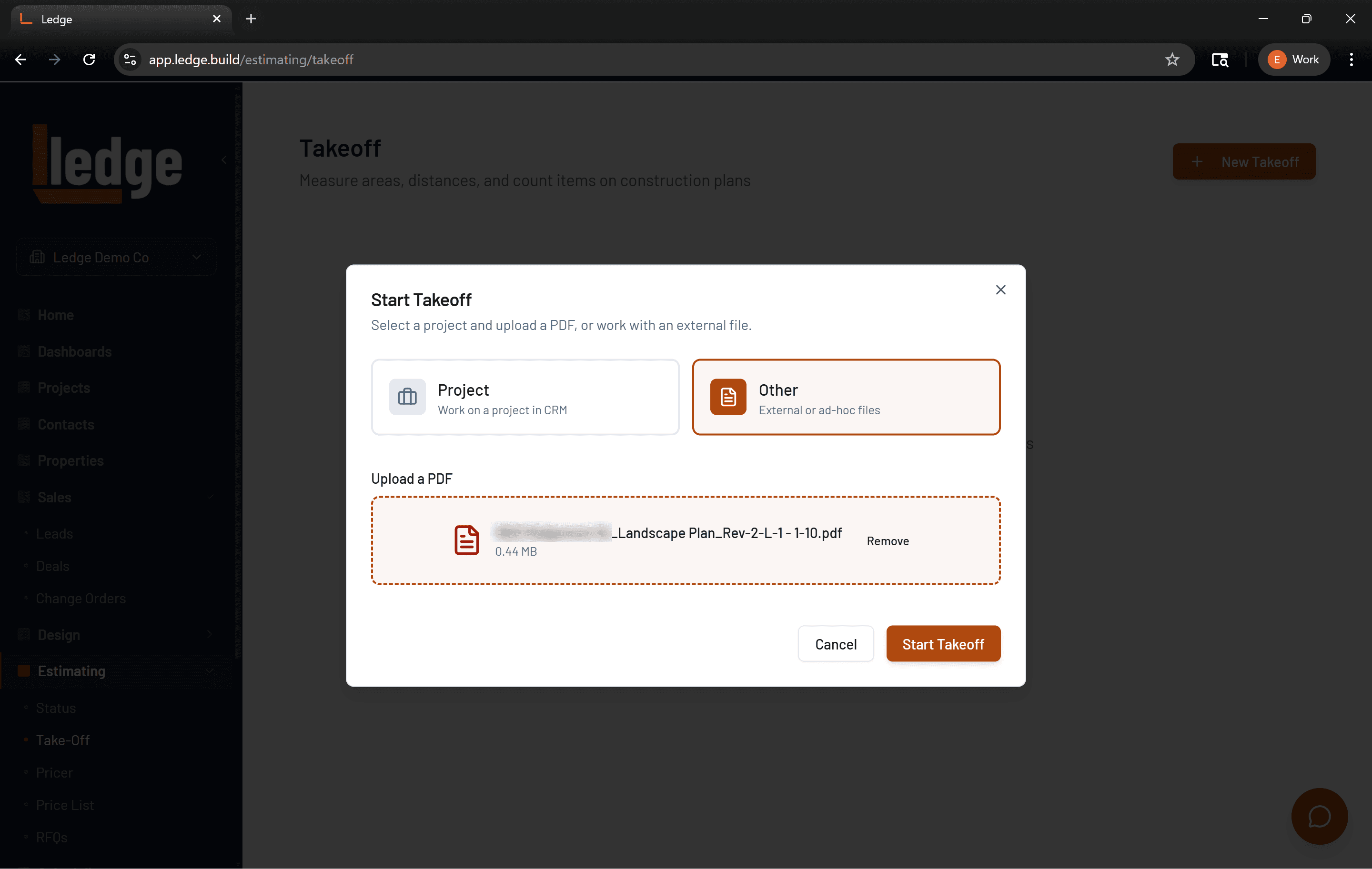
Upload the site plan
Attach a PDF from your design files, a local upload, or a Google Drive import. Each page gets its own independent scale.
Calibrate the scale
Click two reference points on the plan, enter the real distance. Ledge calculates the scale and it sticks across zoom and page navigation.
Measure and bind
Draw areas, trace runs, drop point counts. Each measurement flows directly into the assembly parameters on the left — no tab-switching.
Review the audit trail
Every polygon is persisted with the estimate. Any quantity on the proposal has a visual source you can pull up instantly.
“Replaced HubSpot and Jobber in one shot. Cut $400/mo in subscriptions.”
Marcus D.
Hardscape contractor, Austin TX
Related features
Estimating →
Build accurate, margin-aware estimates from your saved items library.
Design Presentations →
Turn your design work into branded client-ready presentations.
Project Management →
Track every active job from punch list to punch out.
From the blog
How to Estimate a Paver Patio: Cost Per Square Foot Breakdown
Most contractors underprice paver patios because they forget four cost categories. Here is the formula that accounts for all of them.
Read →EstimatingHow to Estimate a Retaining Wall: Block, Labor, and Drainage Costs
Retaining wall estimates fall apart when drainage costs get missed. Here is the full breakdown by LF, height, and soil condition.
Read →EstimatingLandscape Job Costing 101: Price Every Line Item
If your estimate only has materials and labor, you are leaving money on the table. Here are the five buckets every job needs.
Read →