

Get Paid and Grow
Know the margin before you sign.
Job costing in Ledge, landscape design-build software, prices every line against your gross profit target. Then confirmed crew hours become the job’s labor cost.
Talk to Edgar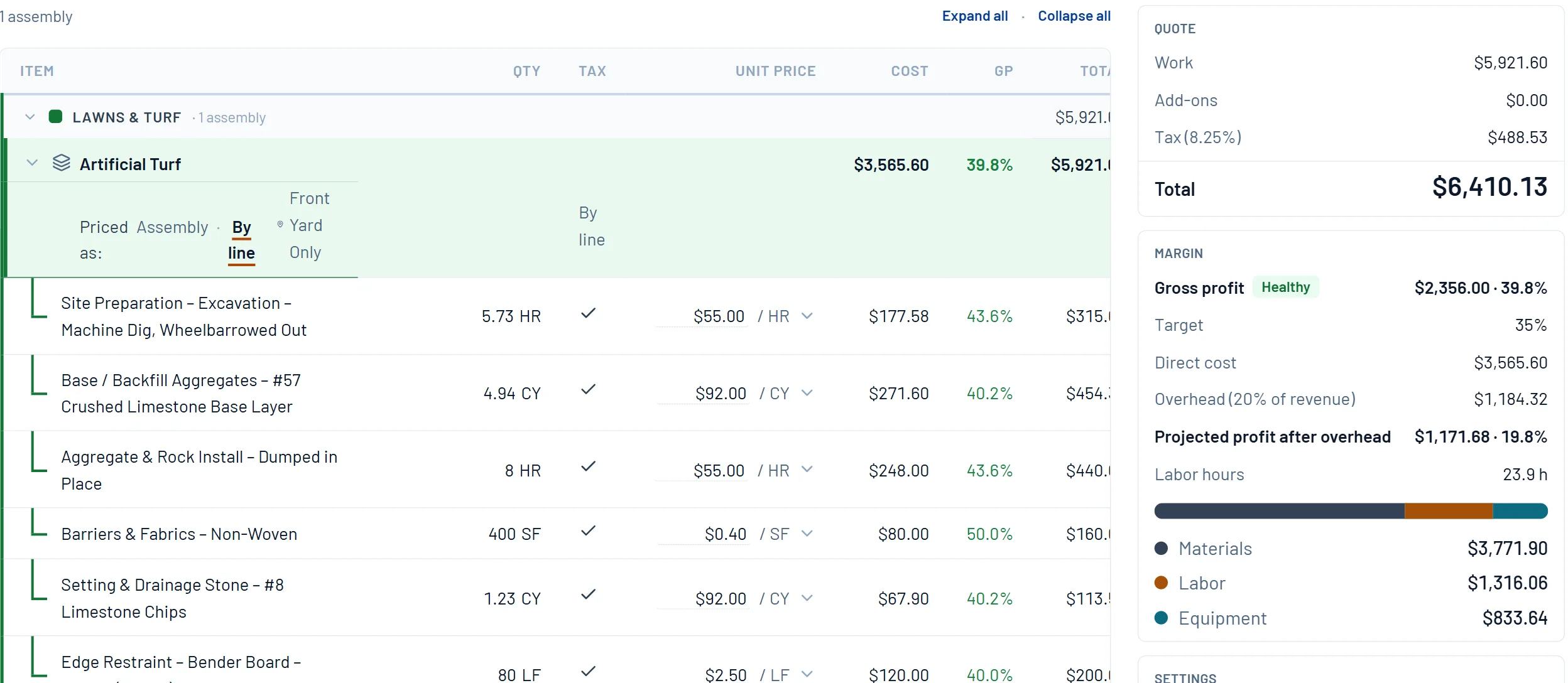
What it does
Margin at the quote. Labor cost on the job.
Gross profit per line
Every line shows its own GP against your target, with a health check on the whole job. Fix the line pulling the job down before the client sees a number.
Profit after overhead
Set overhead as a share of revenue. The estimate shows projected profit after overhead, and the cost split into materials, labor and equipment.
Labor cost by the day
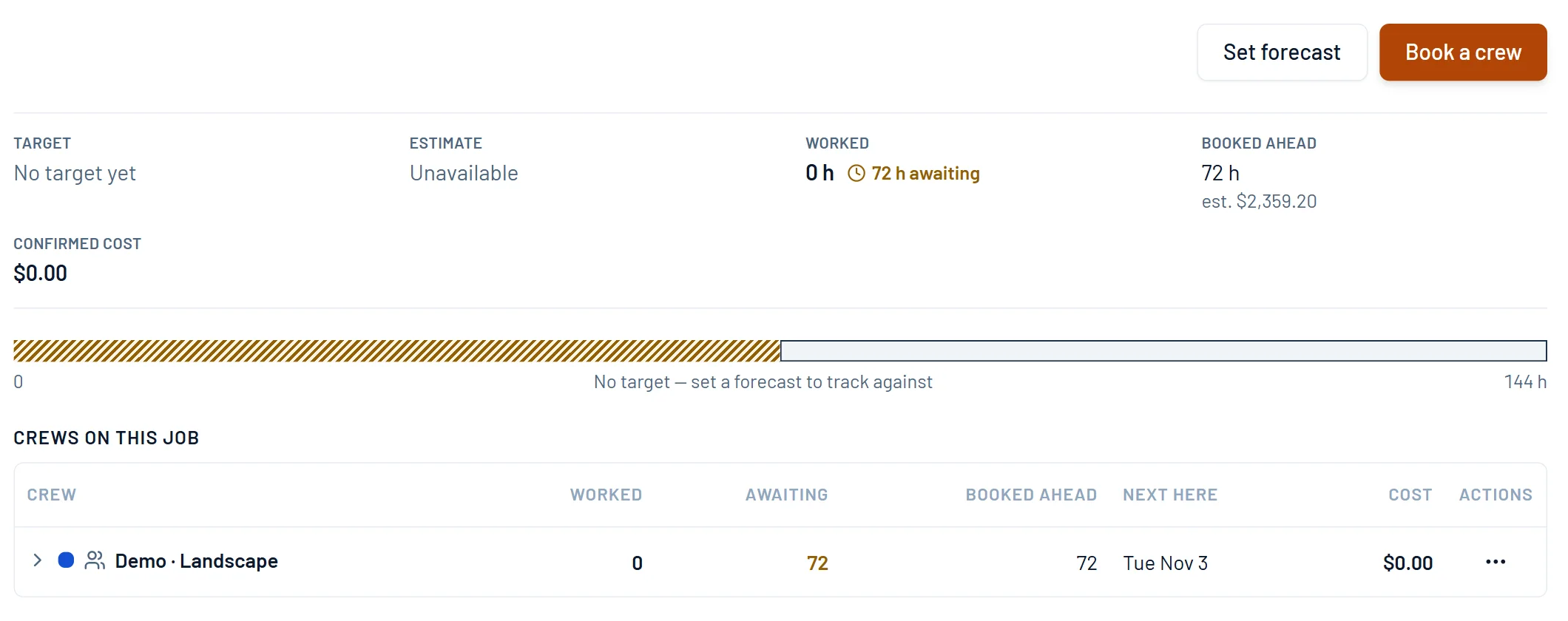
Book the crew and the hours carry an estimated cost. Confirm the day and they become the job’s labor cost, crew by crew.
How it works
One number, from the quote to the crew.
Price against your target
Set the gross profit target and overhead. Every line shows its GP, and the estimate shows profit after overhead before you send it.
- 1Every line shows its own gross profit.
- 2The job’s margin, against your target.
- 3Profit after overhead, before you send.
- 4Where the cost goes, by category.
Track labor on the job
Booked days carry an estimated cost. When the day is confirmed, the hours become labor cost on the job, crew by crew.
- 1Set a forecast in person-hours.
- 2Booked days carry an estimated cost.
- 3Worked hours wait until the day is confirmed.
- 4Confirmed hours become the job’s labor cost.
Keep billing in step
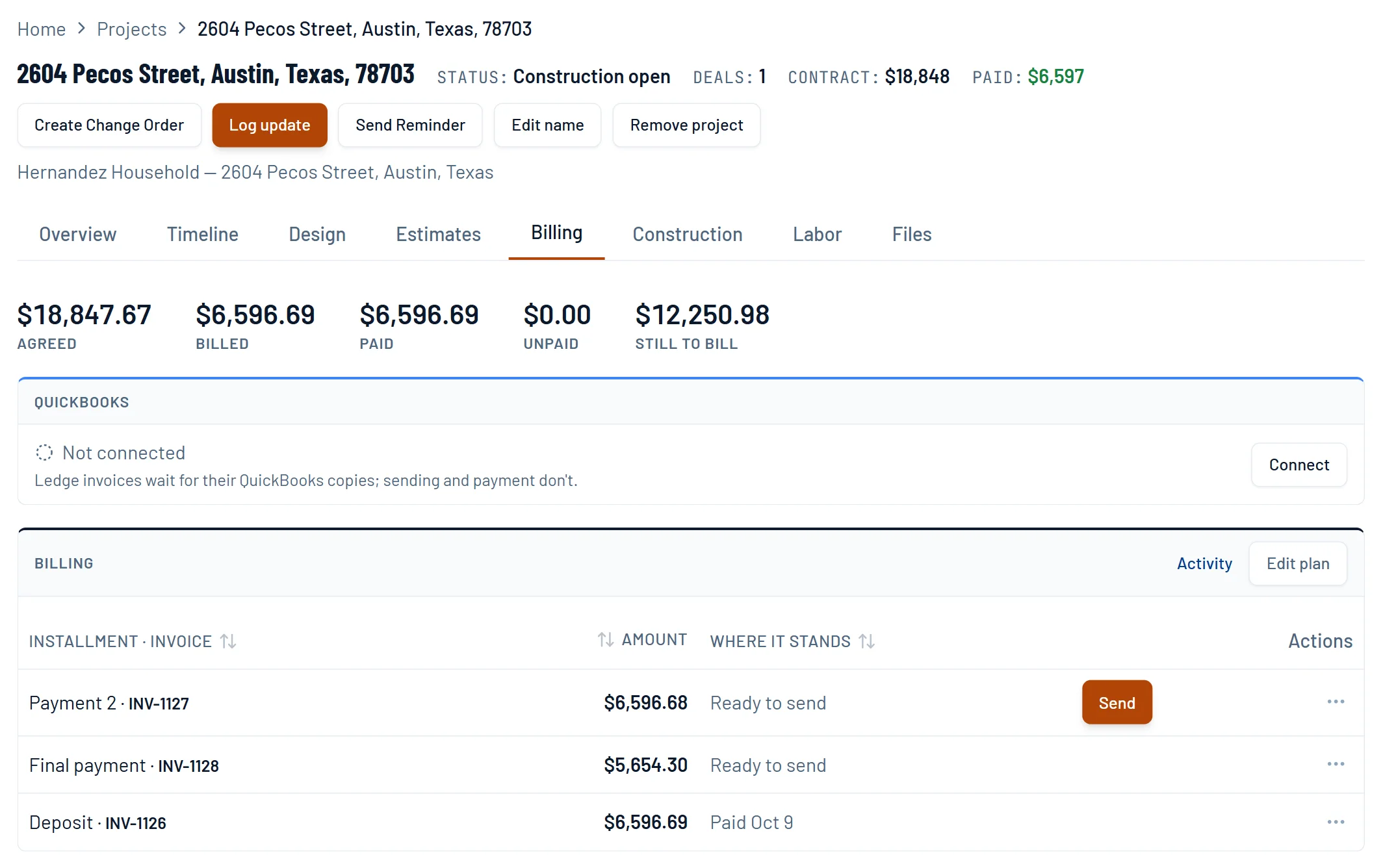
The project shows what was agreed, billed, paid and still to bill, so the money keeps pace with the work.
- 1The agreed amount from the signed estimate.
- 2Billed and paid, as the money comes in.
- 3What is still to bill, at a glance.
Pricing sheets
The math behind it.
EP 20 · Pricing sheetDid We Make What We SaidClose the loop on every job without a timesheet, an app, or asking a crew to write down what hour they spent on what.EP 14 · Pricing sheetWhat You Bought vs What You BuiltYou sold 1,500 square feet of turf. You bought 1,742. The gap is the one line item nobody has, and the only thing in this series you can prove from invoices you already own.EP 11 · Pricing sheetOverheadTwo companies, the same patio, the same money out the door. One books 26% gross margin, the other 37%. Which one is making more money? Neither.Questions
Asked by owners.
Does job costing update during the build?
Labor does. Confirmed crew hours land on the job as labor cost, day by day. Billing tracks what was agreed, billed, paid and still to bill. Material bills stay in QuickBooks Online for now.
How is this different from LMN real-time job costing?
LMN shows estimate against actuals while the job is live, with Real-Time Job Costing on the Professional plan. Ledge sets the margin line by line at the quote and puts confirmed labor cost on the job. For full estimate-against-actual tracking today, LMN goes further.