

Win the Project
Every lead caught. Every source tracked. Nothing lost.
Lead tracking in Ledge, landscape design-build software, captures every inquiry from web forms, calls and texts, keeps the source on it, and shows where every lead stands.
Talk to Edgar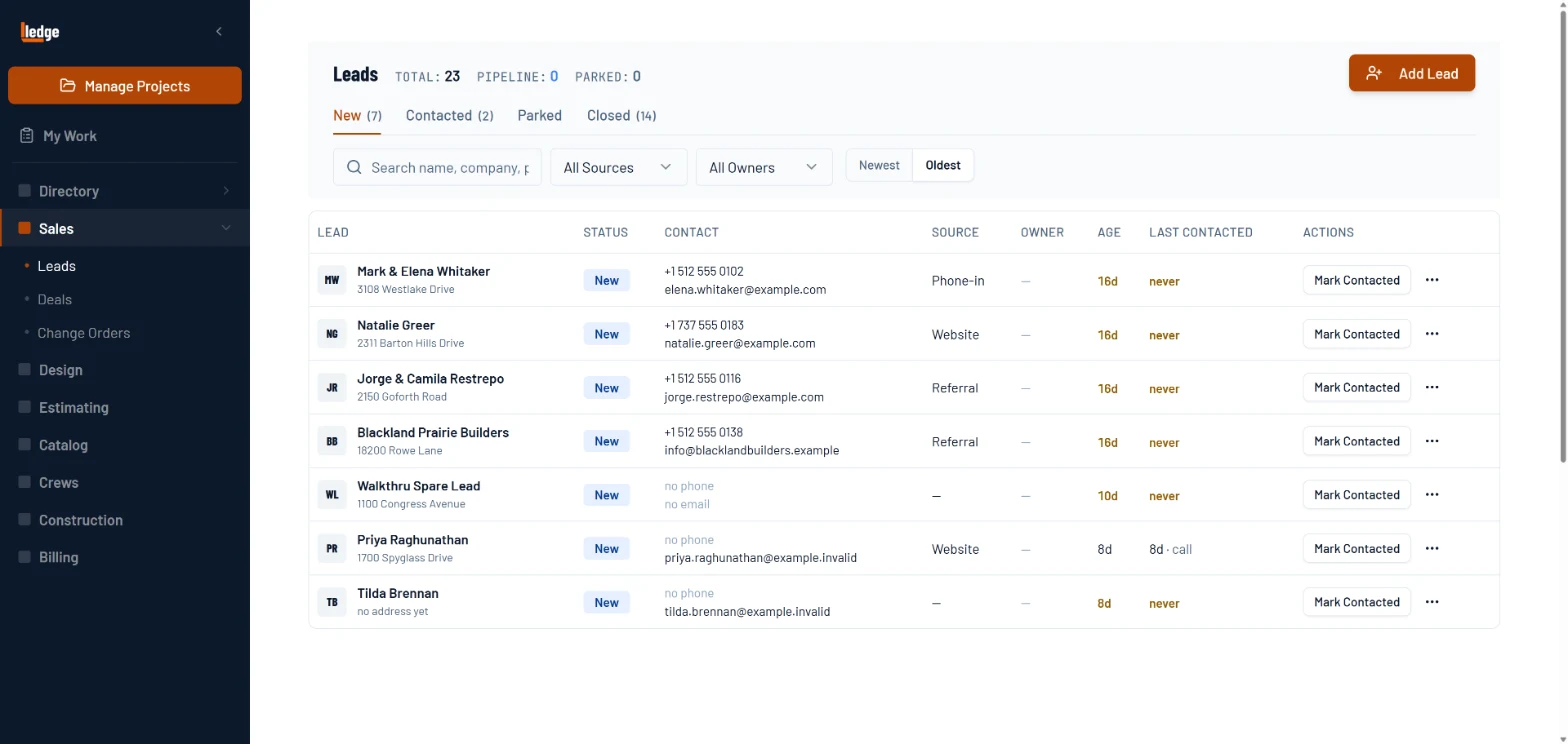
What it does
Auto-capture every inquiry
Phone calls, web forms, and text leads hit Ledge the moment they arrive. Each record is created with caller name, number, and full marketing attribution automatically.
Kanban pipeline with filters
New → Contacted → Unqualified, filterable by source, owner, and contact type. Every lead is visible, nothing gets buried.
Full marketing attribution
UTM source, campaign, Google Click ID, landing page, and referrer tracked on every lead, so you finally know which campaigns actually generate work.
How it works
Lead is captured automatically
A call, form submission, or text triggers a new lead record with contact info and full source attribution. No manual entry required.
- 1Every lead lands here with its source.
- 2Age and last contact, so none go cold.
- 3Mark it contacted in one click.
- 4Add one by hand when the phone rings.
Move through the pipeline
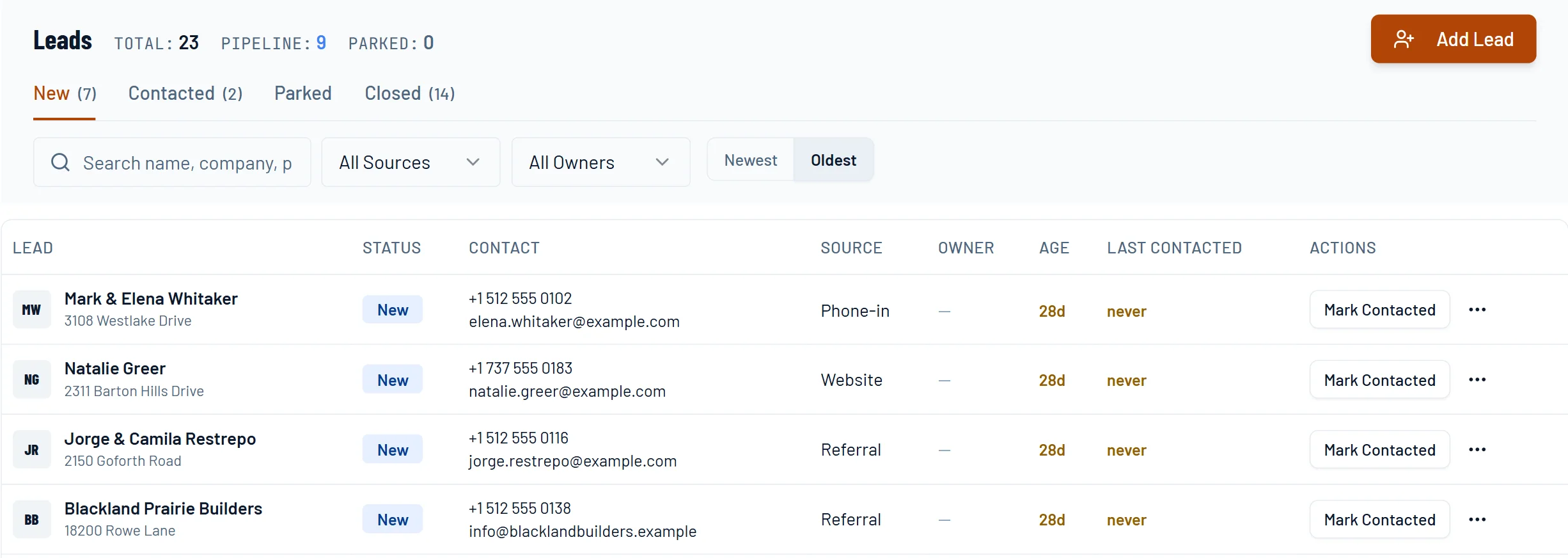
Drop the lead into New → Contacted → Unqualified as you work it. Every stage and owner is visible on the board.
- 1The next step is always on top.
- 2Source, owner and last contact on one card.
- 3Set the follow-up so it does not slip.
- 4Park it or mark it unqualified.
Convert to a deal in one click
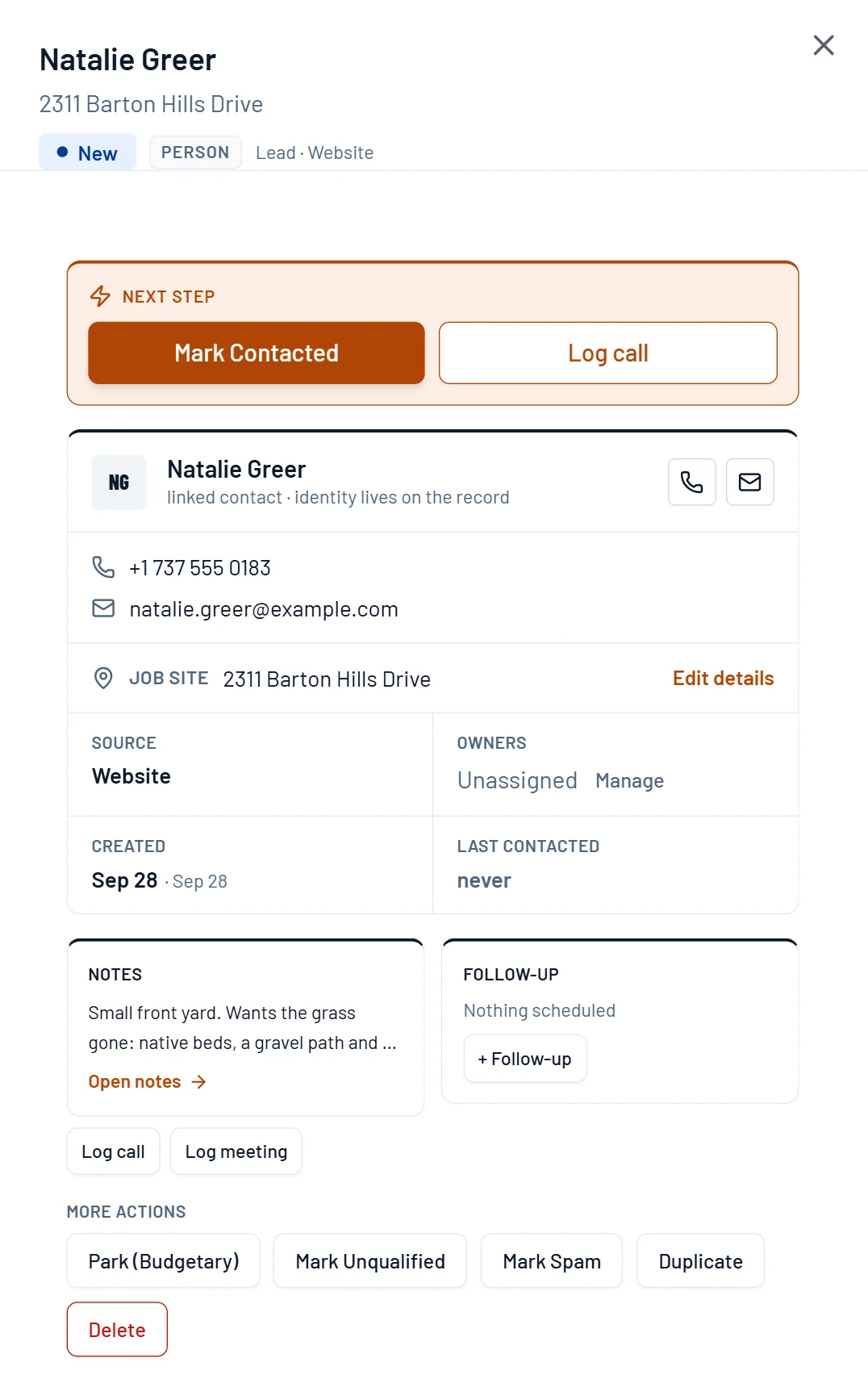
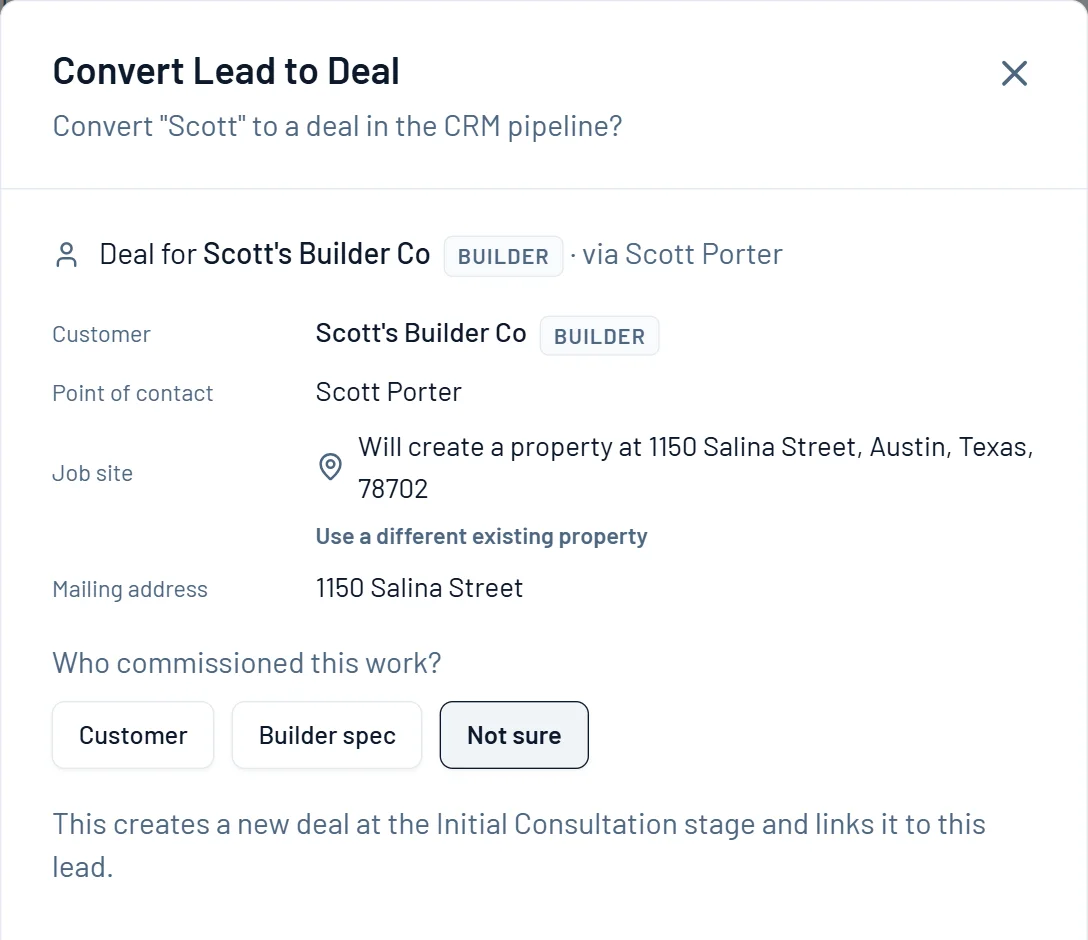
Contact info, property address, and source attribution all carry forward. No re-entry, no lost context. The deal picks up right where the lead left off.
- 1The customer and contact carry forward.
- 2The job site becomes a property.
- 3Say who commissioned the work.
- 4It opens a deal at Initial Consultation.
Pricing sheets
The math behind it.
EP 05 · Pricing sheetHow Much Work Can You LoseFour times the series has said price beats speed. So how much work can you lose at a higher price and still make the same money? More than you think, and ten bids will tell you.EP 13 · Pricing sheetMobilization and the MinimumThree guys, eight hours, 24 man-hours. About 14.7 of them are production. This is where the other 28% went.EP 21 · Pricing sheetThe YearEvery job this year made what it said. The year is short $67,000, because every rate was a guess about a count, and only the year can check the count.Questions
Asked by owners.
Does Ledge capture leads from my website and phone?
Yes. Web forms, calls and texts land as leads with their source attached, and a lead becomes a deal, a project and an invoice without re-entry.
How is this different from the Jobber client manager?
Jobber keeps client info, job history and communication in one place and does it well for a visit business. Ledge lead tracking is built for the long project. The lead carries its source, designer, property and estimate forward into the build.
The deal