
You invoiced $31,000 for a retaining wall and planting project. The client came back with "this does not match what we discussed." You had a signed contract. They had a vague memory. The negotiation took three weeks.
Most invoice disputes are not about what was done. They are about what the client expected versus what was documented. When the invoice is vague, the client fills in the blanks — and their version rarely matches yours. A well-written invoice closes that gap before the conversation starts.
These are the specific elements that prevent disputes. Not just "be professional" or "write clearly" — the actual language and structure choices that make invoices harder to dispute.
Tie Every Line Item to the Signed Proposal
The single most powerful thing you can do is reference the proposal number on the invoice: "Per Proposal #2026-041, signed March 12, 2026." This tells the client the invoice is not a new document — it is the billing confirmation of work they already approved. When the scope matches, there is nothing to dispute.
Each invoice line item should correspond to a line in the proposal. If the proposal listed "retaining wall installation — 80 LF @ $185/LF = $14,800," the invoice should say exactly that. Not "wall work" or "hardscape." The client approved the specific language. Use it.
Describe Work Completed, Not Work Planned
Invoices should describe what was done, not what was originally planned. If the project scope changed — the retaining wall ended up 88 LF instead of 80 LF — the invoice should reflect the actual quantity, with a reference to the change order that authorized the additional work. "Retaining wall installation — 88 LF @ $185/LF = $16,280 (per Change Order #1, signed March 28, 2026)."
Any deviation from the original proposal that is not backed by a signed change order is a dispute waiting to happen. The client approved $14,800. You are billing $16,280. Without documentation, you are asking them to accept $1,480 in work they did not formally authorize.
Include a Payment History Block
Clients should never have to calculate their own running balance. Show it for them. At the bottom of the invoice, include a payment history section: contract total, deposit received (date and amount), previous draws paid, and the current amount due. This prevents the most common dispute: "wait, I thought I already paid more than this."
A client who can see their own payment history on the invoice — clearly laid out, totaling correctly to the amount due — has no basis to dispute the math. The invoice does the explanation for you.
"An invoice that requires a client to trust your memory is an invoice that invites disputes."
Send Completion Photos With the Invoice
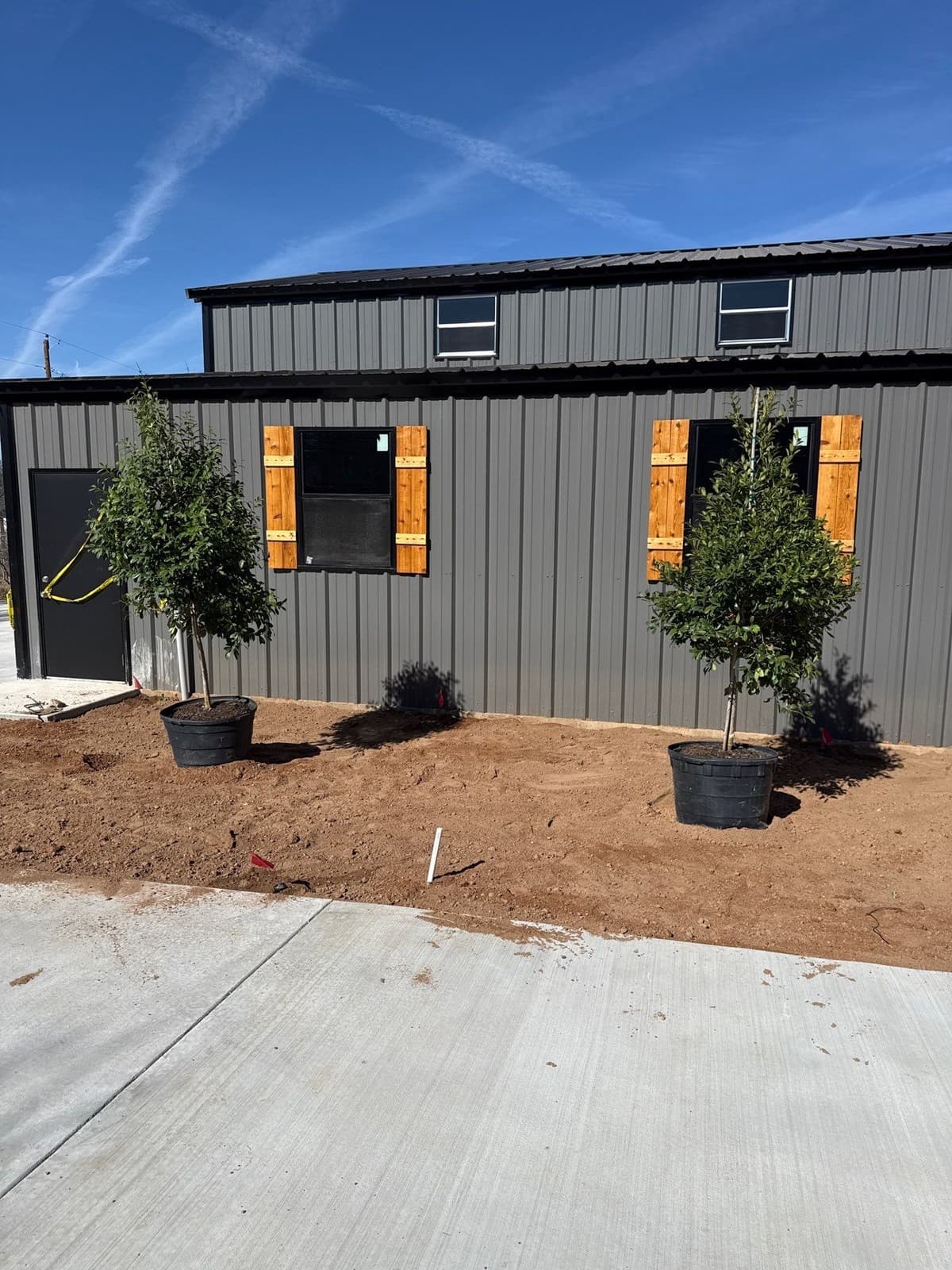
Attach 3–5 photos of the completed work to the invoice email. Not a link to a shared folder — attach them directly so the client sees them immediately. This does two things: it triggers the emotional satisfaction of seeing the finished project, and it creates a timestamped record of the work condition at the time of invoicing.
A client who receives an invoice with photos of their beautiful new patio is in a completely different emotional state than one who receives a PDF with a number on it. That state difference affects how quickly — and how willingly — they pay.
State the Due Date and Payment Options Clearly
"Payment due April 29, 2026" is clearer than "Net-15." Most residential clients do not know what Net-15 means. Give them a calendar date. Include exactly how to pay — ACH instructions, credit card link, or check payable to — in the invoice body, not as a footnote.
Also include your contact information for questions. A client who has a question about the invoice and cannot easily reach you will delay payment while they figure out how to ask. Make it easy: "Questions? Call [phone] or reply to this email." That one line removes the passive delay caused by friction.
What to Do When a Dispute Still Happens
A well-written invoice does not guarantee zero disputes. But it does give you a strong foundation. If a client raises a concern, respond in writing within 24 hours. Ask them to specify the exact line item they dispute and the basis for their objection. Then respond with your documentation: the signed proposal, the change order, the job photos, and the invoice showing how each number was calculated.
A contractor with clear documentation wins most disputes quickly. The client who disputes a well-documented invoice is either misinformed about what they approved or looking for leverage. Your documentation answers the first situation and removes leverage from the second.
Get paid faster
Ledge invoicing is built for how landscape jobs actually work.
Progress billing, draw schedules, deposit collection, and digital signatures — all in one place. No more chasing paper invoices.
Book a Demo →Frequently Asked Questions
What should every landscape invoice include?
Your company name, license number, and contact info. Client name and property address. Invoice number and date. A reference to the signed proposal or contract. Scope-level line items with quantities and unit prices. Change order additions (if any). Payment history block showing prior payments. Amount due, payment due date, and how to pay. Every element that is missing gives a slow payer a reason to ask questions before writing a check.
How do I invoice for work that changed from the original scope?
Never invoice for scope changes without a signed change order. Add the change order items as separate line items below the original scope, clearly marked "Change Order #[number], signed [date]." The baseline invoice ties to the original proposal. The additions tie to the change orders. This structure makes the total defensible — every dollar has a document behind it.
Should I send photos with the invoice?
Yes. Attach 3–5 completion photos directly to the invoice email. This creates a timestamped visual record of the completed work and puts the client in a positive mindset at the moment they open the invoice. Contractors who send photos with invoices report fewer disputes and faster payment than those who send the invoice document alone.
What is a payment history block and why does it matter?
A payment history block is a summary at the bottom of the invoice showing the contract total, all prior payments received (dates and amounts), and the current balance due. It lets the client verify the math without calculating it themselves. When the history is transparent and the math checks out, the most common "I thought I paid more than this" objection disappears before it starts.
Edgar Galindo
Co-founder, Ledge
Edgar built Ledge while running a landscape design-build company in Central Texas. He redesigned his invoicing process after a three-week dispute over a $31,000 invoice that a clearer document would have prevented entirely.